How Much Is Roblox to Download? Is Roblox Free to Play in India?
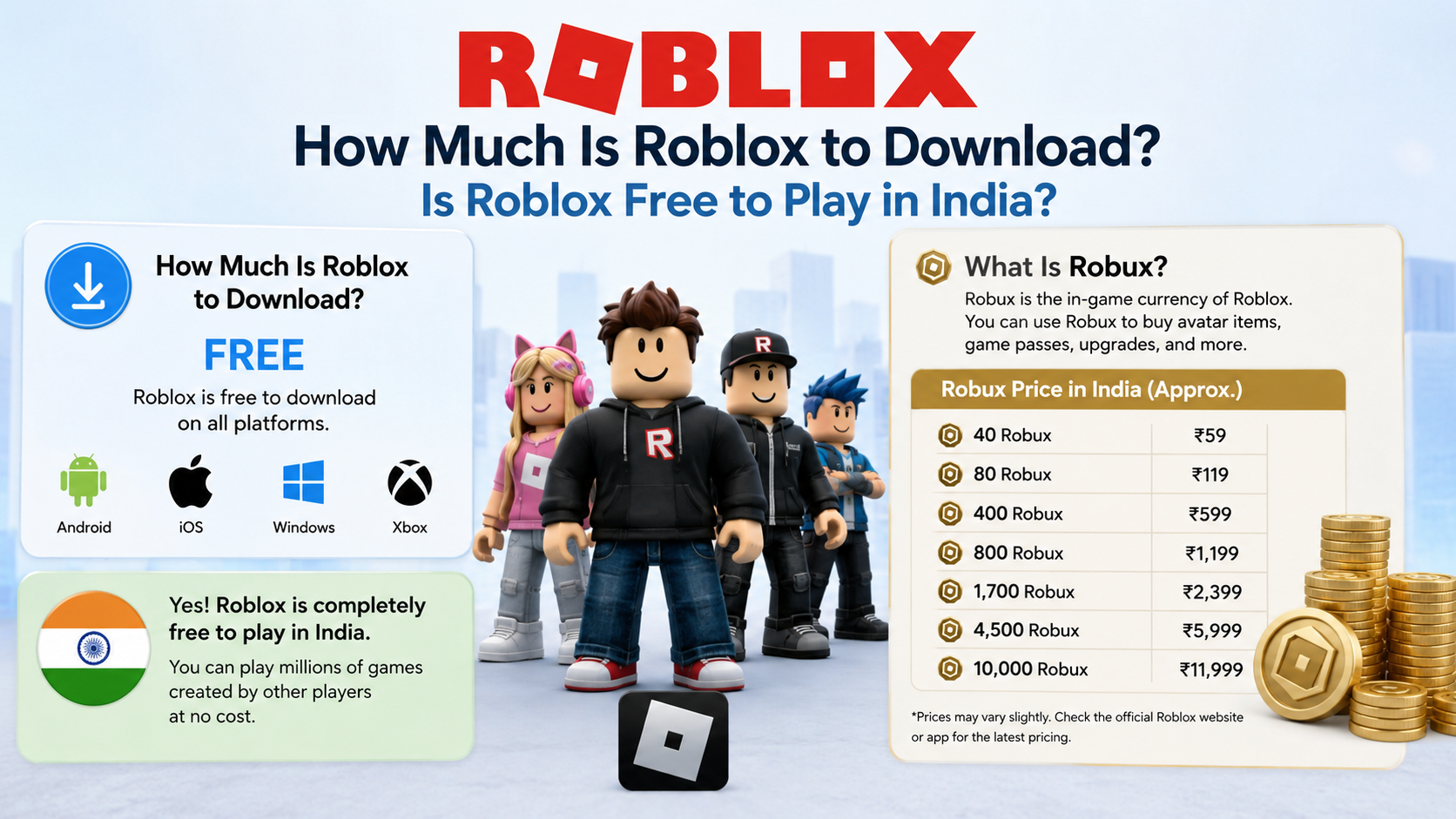
If you are searching for “how much is Roblox to download”, the short answer is ₹0. Roblox is free to download from its official website, Google Play Store, Apple App Store and supported consoles. You can also play many Roblox experiences without paying.
However, some games include optional purchases such as Robux, avatar items, game passes, private servers and subscriptions. You only pay when you choose one of these extras.
Key Takeaways
- Roblox does not charge a download or installation fee.
- Many Roblox experiences are free to play, but individual creators may sell optional items or access.
- Robux is Roblox’s virtual currency and costs real money when purchased.
- Download Roblox only from Roblox.com, Google Play or the Apple App Store.
- Android devices need Android 8.0 or later; iPhone and iPad require iOS/iPadOS 14 or later.
- Avoid “free Robux generators”, modified APKs and unofficial download websites.
Is Roblox Free to Download?
Yes. The Roblox application and player are free to download. There is no one-time purchase price for installing Roblox on a phone, tablet, Windows PC or Mac.
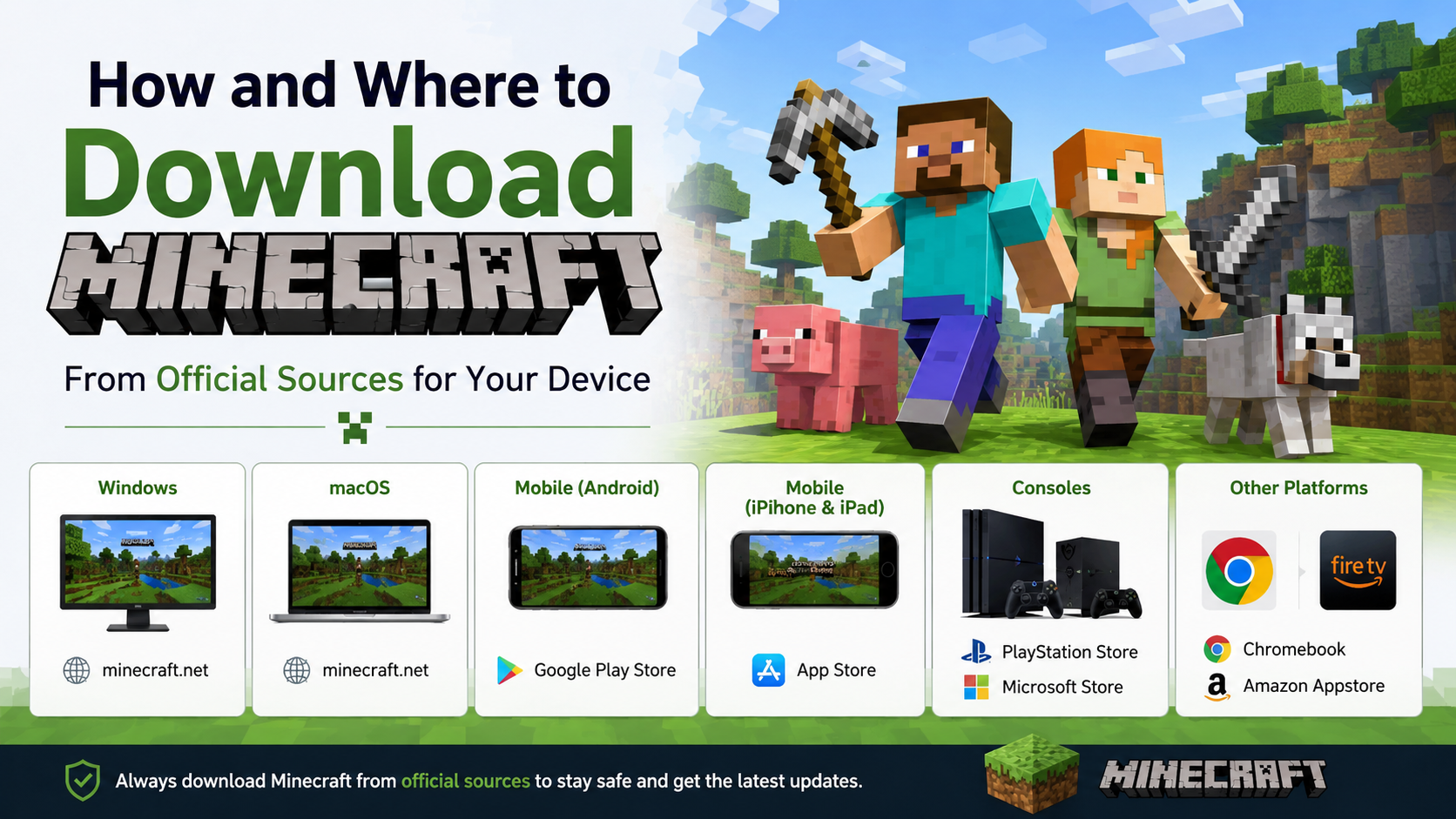
On a computer, you normally download Roblox from the official Roblox website. On mobile, install it through the device’s official app store:
| Device | Official download method | Download cost |
|---|---|---|
| Android phone or tablet | Google Play Store | Free |
| iPhone or iPad | Apple App Store | Free |
| Windows PC | Roblox website | Free |
| Mac | Roblox website | Free |
| Chromebook | Google Play Store, if supported | Free |
| Xbox, PlayStation and supported devices | Official console store | Free to download |
The official Roblox download page provides the computer installer. The Google Play listing and Indian Apple App Store listing identify Roblox Corporation as the developer.
Does Roblox Cost Money to Play?
For most users, Roblox can be played without spending money. You create an account, install the app and select an experience from the Roblox catalogue.
The important distinction is that Roblox is a platform containing millions of user-created experiences. Each creator decides whether their experience is free, paid or supported by optional purchases.
You may encounter:
- Free access to the main game
- Paid access using Robux
- Game passes that unlock special abilities
- Avatar clothing and accessories
- Cosmetic items
- Private-server fees
- In-experience subscriptions
- Optional items, boosts or virtual currency
A free experience may still display purchase options. These are optional unless the experience specifically requires paid access.
Example
You can join a free role-playing experience and play without buying anything. Another experience may offer a paid game pass that unlocks a vehicle or special area. You can ignore the offer and continue playing if the creator allows it.
What Is Robux and How Much Does It Cost?
Robux is Roblox’s virtual currency. Players use it to buy eligible virtual items, avatar accessories, game passes and other content.
Robux is not required for every Roblox experience. You can spend ₹0 if you only use free content and do not purchase optional items.
The exact INR price depends on:
- The Robux package selected
- Whether you buy through the website or a mobile store
- Applicable taxes
- Payment-platform pricing
- Promotional or regional pricing
- Changes made by Roblox
Roblox displays the final amount before you confirm payment. Prices shown in the app or website can change, so check the checkout screen rather than relying on an old article or video.
Roblox says that Robux can be purchased through supported mobile, browser, PlayStation and Xbox apps. Web and gift-card purchases may provide up to 25% more Robux than some other purchase methods, according to its official Robux guidance.
Robux can also be earned by creators through eligible activities such as selling avatar items or building experiences. Roblox specifically warns that there is no legitimate Robux generator.
Are Roblox Subscriptions Required?
No. A subscription is not necessary to download Roblox or play free experiences.
Roblox has introduced and changed subscription products over time. Its support information states that Roblox Plus became available globally on April 30, 2026, while Premium memberships were no longer available for new purchase after that launch. Existing subscriptions may follow separate transition rules. Because subscription names, benefits and prices can change, review the current offer inside your Roblox account before paying.
Some individual experiences can also offer recurring subscriptions for special benefits. Roblox states that experience subscriptions may be priced in Robux or local currency, and local-currency availability differs by country and platform. Its current support page lists India among countries where local-currency in-experience subscriptions are unavailable, although Robux-based options may still be available where supported. See the Roblox subscriptions help page for current limitations.
How to Download and Install Roblox Safely
Android
- Open the Google Play Store.
- Search for Roblox.
- Confirm that the developer is Roblox Corporation.
- Tap Install.
- Open Roblox and sign in or create an account.
Do not install an APK from a random website. Modified APK files may contain malware, steal account details or violate Roblox’s terms.
iPhone or iPad
- Open the Apple App Store.
- Search for Roblox.
- Check that Roblox Corporation is shown as the provider.
- Tap Get and authenticate with your Apple account.
- Open the app after installation.
The Indian App Store listing identifies Roblox as free with optional in-app purchases. App-store prices and subscription listings can change.
Windows PC
- Visit roblox.com/download.
- Select the Windows download option or start an experience from Roblox.com.
- Save and open the Roblox installer.
- Follow the installation prompts.
- Return to Roblox.com and select an experience to launch Roblox Player.
Use a current version of Chrome, Firefox or Microsoft Edge. Avoid download buttons on websites that imitate Roblox.
Mac
- Visit the official Roblox download page.
- Choose the Mac application download.
- Open the downloaded installer.
- Complete the installation.
- Sign in through Roblox.com and launch an experience.
Roblox officially supports macOS 10.13 High Sierra and later, according to its computer requirements page.
Roblox System Requirements
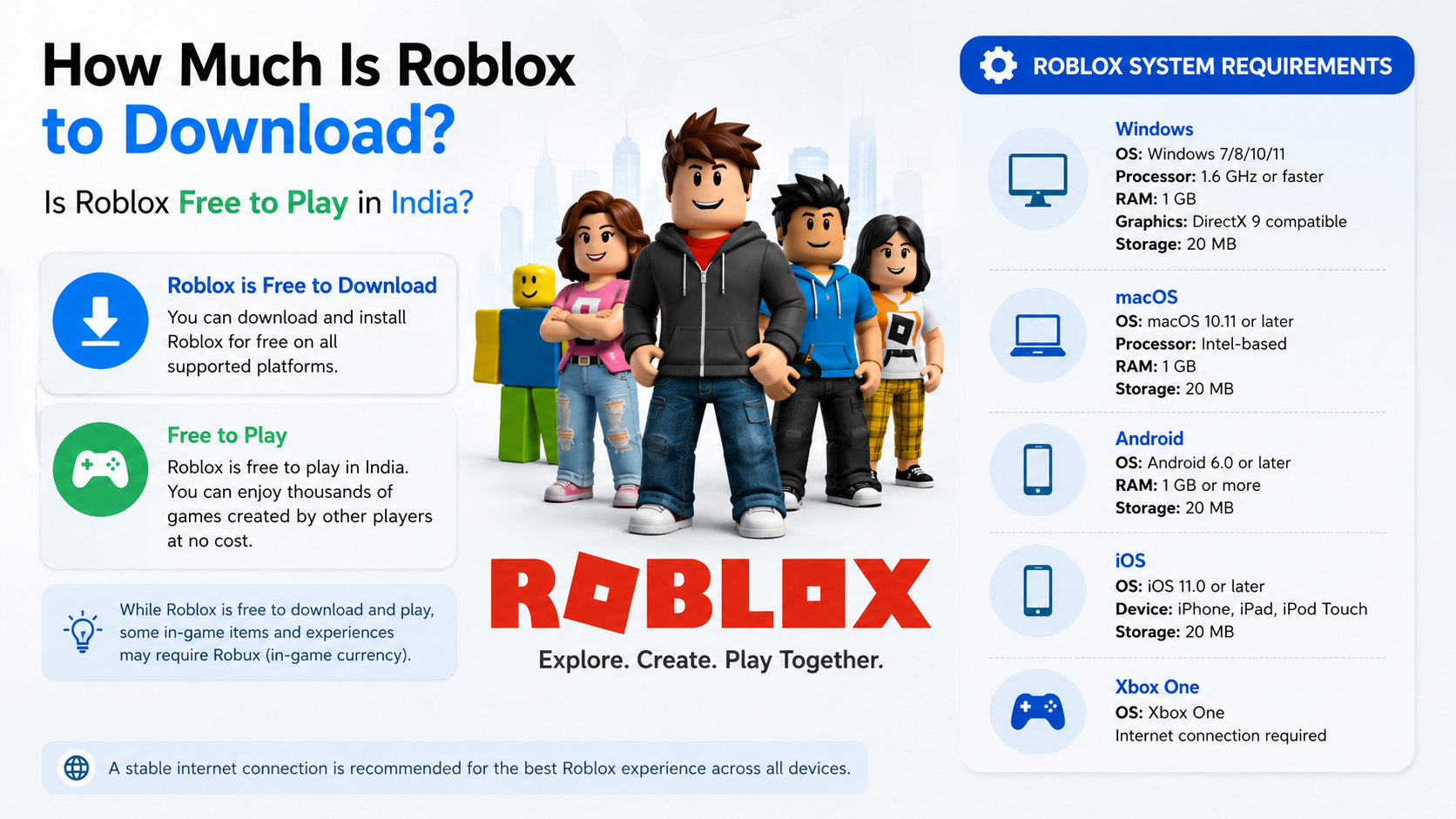
Roblox requirements differ by platform. The following information comes from Roblox support and may change as operating systems are updated.
| Platform | Minimum operating-system information |
|---|---|
| Windows | 64-bit Windows 10 or Windows 11 |
| Mac | macOS 10.13 or later |
| Android | Android 8.0 or later, with OpenGL ES 3.0 support |
| iPhone/iPad | iOS 14 or iPadOS 14 or later |
| Chromebook | Chrome OS 53 or later with Google Play enabled |
| Linux | Not officially supported |
On Windows, Roblox lists DirectX 10 or higher feature-level support, at least 1 GB of RAM and approximately 300 MB of storage for installation. It recommends an internet connection of about 4–8 Mbps for a single-user household.
For mobile devices, Roblox notes that meeting the operating-system requirement does not guarantee smooth performance on every Android phone. Older processors and unsupported graphics hardware may produce warnings, lag or prevent experiences from loading. Check the official mobile requirements if your phone is older.
Common Roblox Costs in India
The game itself can cost nothing, but your total spending may include:
- Mobile data or broadband charges
- Optional Robux purchases
- Paid game passes
- Avatar items
- Private servers
- Creator subscriptions
- Console subscription requirements, depending on the platform and account
Roblox does not set one universal price for every experience. A creator may use regional pricing, Robux pricing or paid access. Always review the amount shown before confirming a transaction.
For children, enable device-level purchase authentication and Roblox parental controls. Never share a card, UPI, Apple ID or Google account password inside a chat or experience.
Roblox Download and Payment Safety
Be cautious if a website or video promises:
- Free Robux
- Unlimited Robux codes
- A hacked or unlocked Roblox APK
- A “premium” version at no cost
- A tool that removes all purchases
Roblox says free Robux generators and similar offers are scams. They may ask for your password, install unwanted software or take control of your account. Only enter your Roblox password on the official Roblox login page.
If an experience asks you to visit an unfamiliar external website, download a file or provide payment details, close it and report the content through Roblox’s reporting tools.
Frequently Asked Questions
Is Roblox completely free in India?
Roblox can be downloaded and played for free in India. Optional purchases, mobile data and certain paid experiences may cost money.
How much is Roblox to download on Android?
The Roblox app download is free through Google Play. Google Play labels it as containing in-app purchases.
Do I need Robux to play Roblox?
No. Many experiences are playable without Robux. Robux is needed only for selected paid access, items, game passes or other optional content.
Is Roblox free on iPhone?
Yes. Roblox is listed as a free app on the Indian Apple App Store, with optional in-app purchases.
Can I download Roblox without an APK?
Yes. Android users should install Roblox directly from Google Play. Windows and Mac users should use Roblox.com. An APK is unnecessary when the official app store is available.
Is there a real free Robux generator?
No. Roblox states that legitimate Robux generators do not exist. Treat generator websites, apps and videos as scams.
Why does Roblox show a payment request if the game is free?
The experience may be offering optional items, game passes, subscriptions or private-server access. A free download does not mean every feature is free.
Can Roblox run on an old Android phone?
Only if the phone meets Roblox’s current Android and graphics requirements. Android 8.0 alone does not guarantee good performance; hardware, storage and network quality also matter.