

How and Where to Download Form 16 Safely From Official Sources in India
If you are searching for how and where to download Form 16, the safest answer is: obtain it from your employer’s HR/payroll system or directly from your employer. Employers download Form 16 Part A through the official TRACES portal and issue the complete certificate, including Part B, to employees. A salaried taxpayer cannot download Form 16 through a personal TRACES login. TRACES confirms that only the deductor can download and issue Form 16.
Form 16 is the annual TDS certificate for salary. It helps you prepare your income-tax return, verify salary and tax deducted, and support claims for tax refunds or deductions.
Key Takeaways
- Your employer, not an individual employee, downloads Form 16 from TRACES.
- Ask HR/payroll for the PDF or access it through the company’s official employee portal.
- Form 16 has Part A (TDS details) and Part B (salary, exemptions and deductions).
- The normal issue deadline is 15 June of the financial year following the year in which salary was paid and tax was deducted. Income Tax Department guidance
- Check your PAN, employer TAN, salary, TDS and assessment year before using the certificate.
- Do not download Form 16 from random websites, messaging groups or “instant certificate” services.
What Is Form 16?
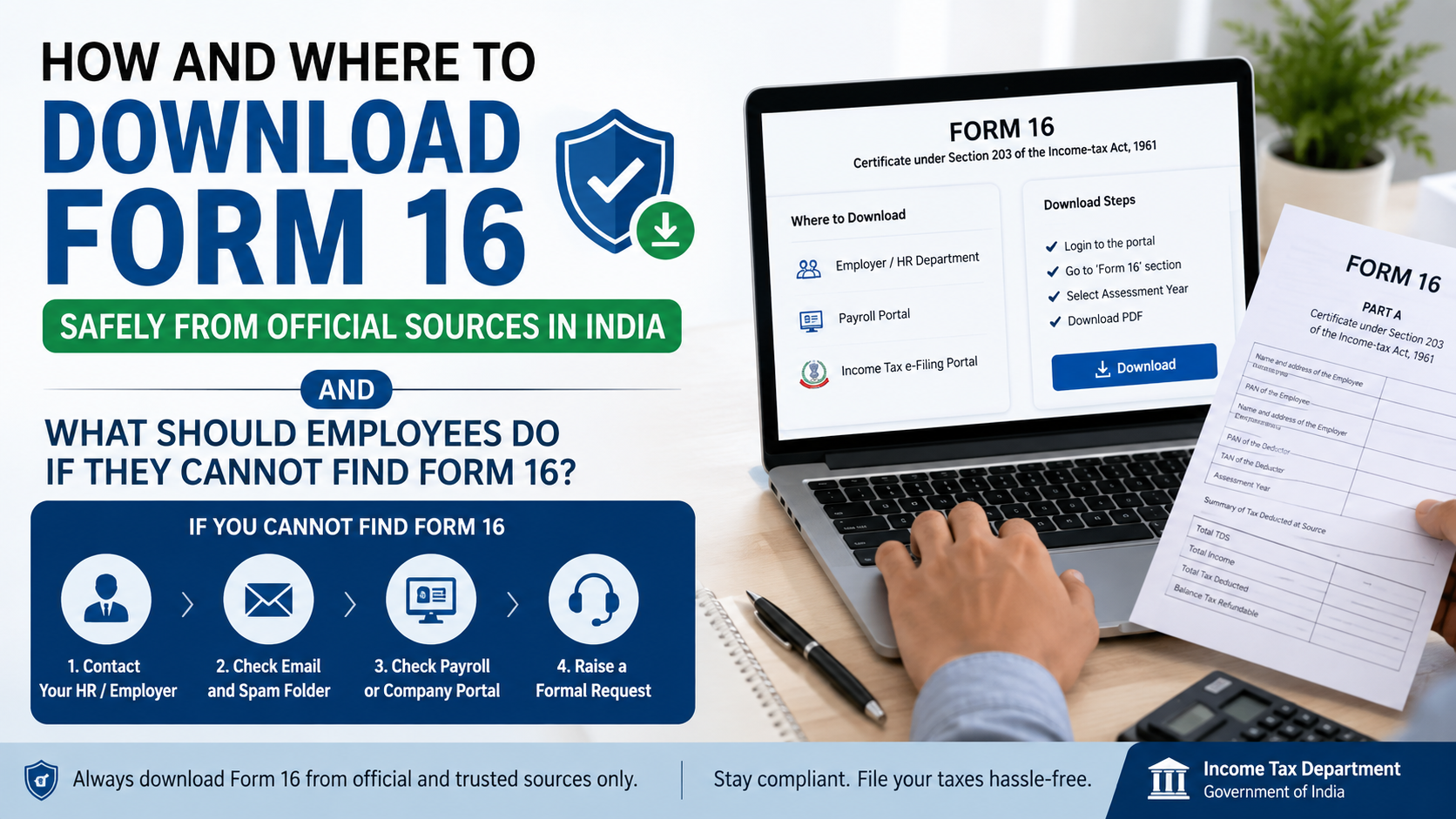
Form 16 is a Tax Deducted at Source (TDS) certificate issued by an employer to an employee when tax is deducted from salary under Section 192 of the Income-tax Act. It records salary income, eligible exemptions and deductions considered by the employer, and TDS deposited with the government. The Income Tax Department describes Form 16 as the salary TDS certificate provided by an employer.
The certificate generally contains two parts:
| Part | What it shows | Usually obtained from |
|---|---|---|
| Part A | Employer and employee PAN, employer TAN, period of employment and TDS deposited | Downloaded by the employer from TRACES |
| Part B | Salary breakup, exemptions, deductions, rebates and taxable income calculation | Prepared and issued by the employer |
Part A is generated from processed TDS statements on TRACES. Part B is prepared by the employer’s payroll or tax team. Therefore, downloading a blank Form 16 format from the Income Tax website does not give you your personal salary certificate.
Where Can You Download Form 16 Safely?
1. Your employer’s HR or payroll portal
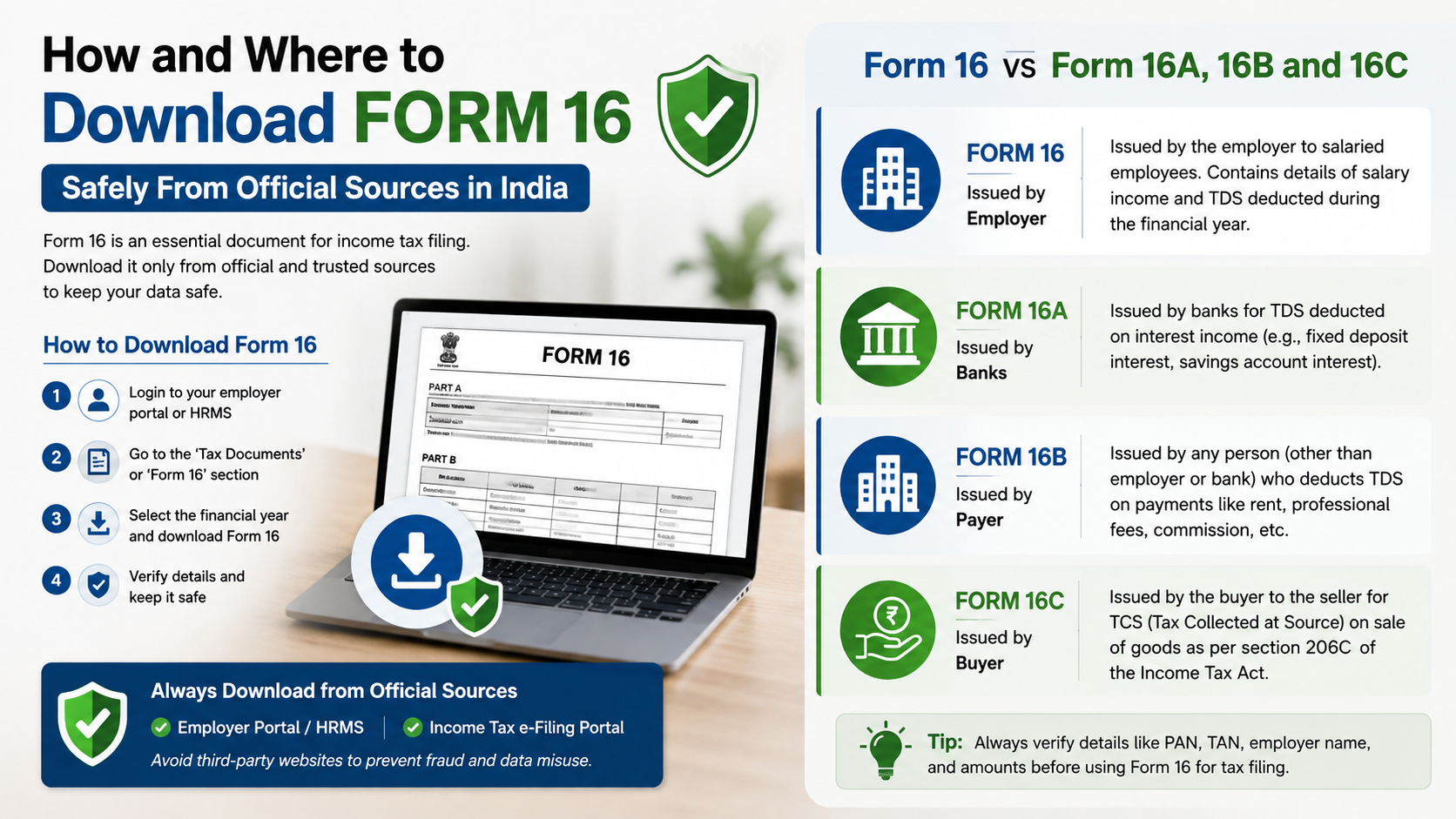
Many Indian companies publish Form 16 in an employee self-service portal. Sign in using the company’s normal website or app, then look under sections such as:
- Payroll
- Tax documents
- Salary documents
- Income-tax forms
- Employee services
Download the PDF only after checking that the address is your employer’s genuine domain or official mobile application. If the company uses a third-party payroll provider, access it through a link supplied by HR rather than searching for an unrelated website.
2. Your employer’s official email
Employers may send Form 16 as a digitally signed PDF or as a secure download link. Confirm that the email came from the company’s official domain. If the attachment is password-protected, ask HR for the correct password instructions; do not upload it to an unknown “PDF unlock” website.
3. The employer’s TRACES account
TRACES is the government TDS portal used by deductors such as employers. The employer logs in with its registered user ID, password and TAN, requests Form 16, downloads the generated files and converts them into certificates using the TRACES PDF Generation Utility. The official Income Tax Department tutorial lists this TRACES workflow.
Employees normally do not need a TRACES account for this process.
How Employers Download Form 16 From TRACES
These steps are useful if you are an employer, payroll administrator or authorised deductor:
- Open the official TRACES website.
- Log in with the registered user ID, password and TAN.
- Open Downloads and select Form 16.
- Choose the financial year, enter the employee’s PAN and select Add. The official tutorial allows up to 10 PANs on the individual request screen.
- Review the employee and employer details displayed on screen.
- Submit the request using the available validation method, such as normal validation or DSC-based validation.
- Note the reference number shown after successful submission.
- Go to Downloads → Requested Downloads.
- Enter the request number, select the available row and choose HTTP Download.
- Download the appropriate TRACES PDF Generation Utility. Separate utilities may be required for Part A and Part B.
- Use the utility to extract the downloaded files and generate the PDF certificates.
- Apply the employer’s digital signature where required and verify the final PDFs before sending them to employees.
TRACES states that the downloaded text file must be converted into individual PDF certificates through its PDF Generation Utility. It also notes that a Form 16 may not be generated if the employee’s PAN is invalid or was not correctly reported in the TDS statement. See the TRACES Form 16 FAQ.
What Should Employees Do If They Cannot Find Form 16?
Use this order:
- Check your employer’s payroll or HR portal.
- Search your official work email for “Form 16”, “TDS certificate” or the relevant financial year.
- Contact payroll, HR or the finance help desk.
- Confirm that your PAN is correctly recorded in the employer’s payroll system.
- Ask whether the employer’s TDS statement has been filed and processed.
- Request a duplicate certificate if the original was lost.
If you changed jobs during the year, each employer should provide Part A for the period you worked there. You may receive Part B from each employer or, depending on the employer’s arrangement, from the last employer. The Income Tax Department’s tutorial explains the multiple-employer treatment. Read the official Form 16 and Form 16A tutorial.
When Is Form 16 Issued?
Form 16 is normally issued by 15 June of the financial year immediately after the financial year in which the salary was paid and tax was deducted. For example, a certificate for FY 2025–26 would ordinarily be issued by 15 June 2026.
The exact delivery date may depend on the employer’s TDS filing, processing and payroll schedule. If the deadline has passed, contact the employer in writing and retain your request for reference.
How to Check Whether Form 16 Is Genuine
Before using a downloaded certificate, compare it with your records:
- Your name and PAN
- Employer name, address and TAN
- Financial year and assessment year
- Employment period
- Gross salary and taxable salary
- Exemptions and deductions
- TDS amount
- Part A and Part B details
- Digital signature or authorised manual signature
- Any control number or certificate identifier shown on the form
Cross-check the TDS amount with Form 26AS and the Annual Information Statement (AIS) on the Income Tax e-Filing portal. These statements are useful for reconciliation, but they are not substitutes for the employer-issued Form 16. The Income Tax Department lists Form 26AS and AIS as taxpayer information services.
If salary or TDS differs, ask payroll for a corrected Form 16 and check whether the employer filed a correction statement.
Form 16 vs Form 16A, 16B and 16C
These certificates are not interchangeable:
| Certificate | Main purpose |
|---|---|
| Form 16 | TDS on salary |
| Form 16A | TDS on non-salary income, generally issued quarterly |
| Form 16B | TDS certificate for certain property purchases |
| Form 16C | TDS certificate for rent paid by specified individual or HUF tenants |
If a bank deducted TDS on interest, you generally need Form 16A, not Form 16. For property or rent-related TDS, use the certificate applicable to that transaction.
Is There an Employee Download Option on the Income Tax Portal?
The e-Filing portal provides services such as ITR filing, AIS and Form 26AS access. It does not normally provide a personal “download my Form 16” function. TRACES specifically states that a taxpayer login cannot be used to download Form 16; only the deductor can issue it.
You can still use the e-Filing portal to:
- View Form 26AS
- Access AIS
- File your income-tax return
- Check tax-credit information
- Respond to certain notices or services
Use these records to identify mismatches, then ask your employer to correct the certificate or TDS statement.
Common Form 16 Problems and Fixes
Form 16 is not available
The employer may not have issued it yet, or the TDS statement may still be processing. Contact HR/payroll and ask for the expected issue date.
PAN is incorrect
An incorrect PAN can prevent generation or cause credit mismatch. Submit the correct PAN details through your employer’s approved process and request a correction.
TDS in Form 16 does not match Form 26AS
Do not edit the PDF yourself. Share both records with payroll and request correction of the underlying TDS statement.
Part A or Part B is missing
Ask the employer for the complete certificate. Part A comes from TRACES, while Part B is prepared by the employer.
PDF will not open
Re-download it from the official portal or employer system. Avoid uploading confidential tax documents to third-party repair sites. If the employer supplied a password, confirm the required format directly with HR.
Employer is unresponsive
Send a written request to payroll and HR, include the financial year and your employee ID, and keep copies of your correspondence. For unresolved tax-credit issues, consult a tax professional or use the official Income Tax Department help channels.
Security Tips for Downloading Form 16
Form 16 contains PAN, salary and employment information. Protect it as you would a financial document:
- Type official addresses yourself or use bookmarks.
- Check for
httpsand the correct government domain. - Never share your TRACES password, TAN credentials or one-time passwords.
- Avoid APKs, browser extensions and “Form 16 generator” software from unknown sources.
- Do not send the certificate in public WhatsApp or Telegram groups.
- Store the PDF in an encrypted folder or protected cloud account.
- Use a strong, unique password for tax portals.
- Verify unexpected emails with HR before opening links or attachments.
The safest route is simple: get the certificate from your employer’s authorised channel, confirm the details against Form 26AS or AIS, and use official Income Tax Department and TRACES websites for any follow-up.
Frequently Asked Questions
Can I download Form 16 directly using my PAN?
No. An employee cannot download salary Form 16 through a taxpayer TRACES login. Your employer, the deductor, must issue it.
Is Form 16 available on the Income Tax e-Filing portal?
The portal provides Form 26AS and AIS, but not usually the employer-issued Form 16 PDF. Request Form 16 from HR or payroll.
What is the official website for Form 16 download?
Employers use the TRACES portal to request and download Form 16 files. Employees should use their employer’s official HR channel.
Can I use Form 26AS instead of Form 16?
No. Form 26AS can help verify TDS credits, but Form 16 contains salary, exemptions and deduction details needed for accurate return preparation.
What if I worked for two employers in one financial year?
Ask both employers for the certificates covering their respective employment periods. Include salary and TDS from both when preparing your income-tax return.
What if my employer has not issued Form 16 by 15 June?
Contact payroll or HR in writing and request the certificate. Also check whether your PAN and TDS details were correctly reported.
Is a downloaded Form 16 safe to share?
Share it only with your tax adviser, bank or other authorised recipient. Redact unnecessary personal information when a complete certificate is not required.
Can I download a blank Form 16 format?
You can download the statutory format from official Income Tax Department resources, but a blank format is not your personal TDS certificate. Only your employer can issue the completed Form 16.


