What Is ChatGPT and How to Download It Safely in India
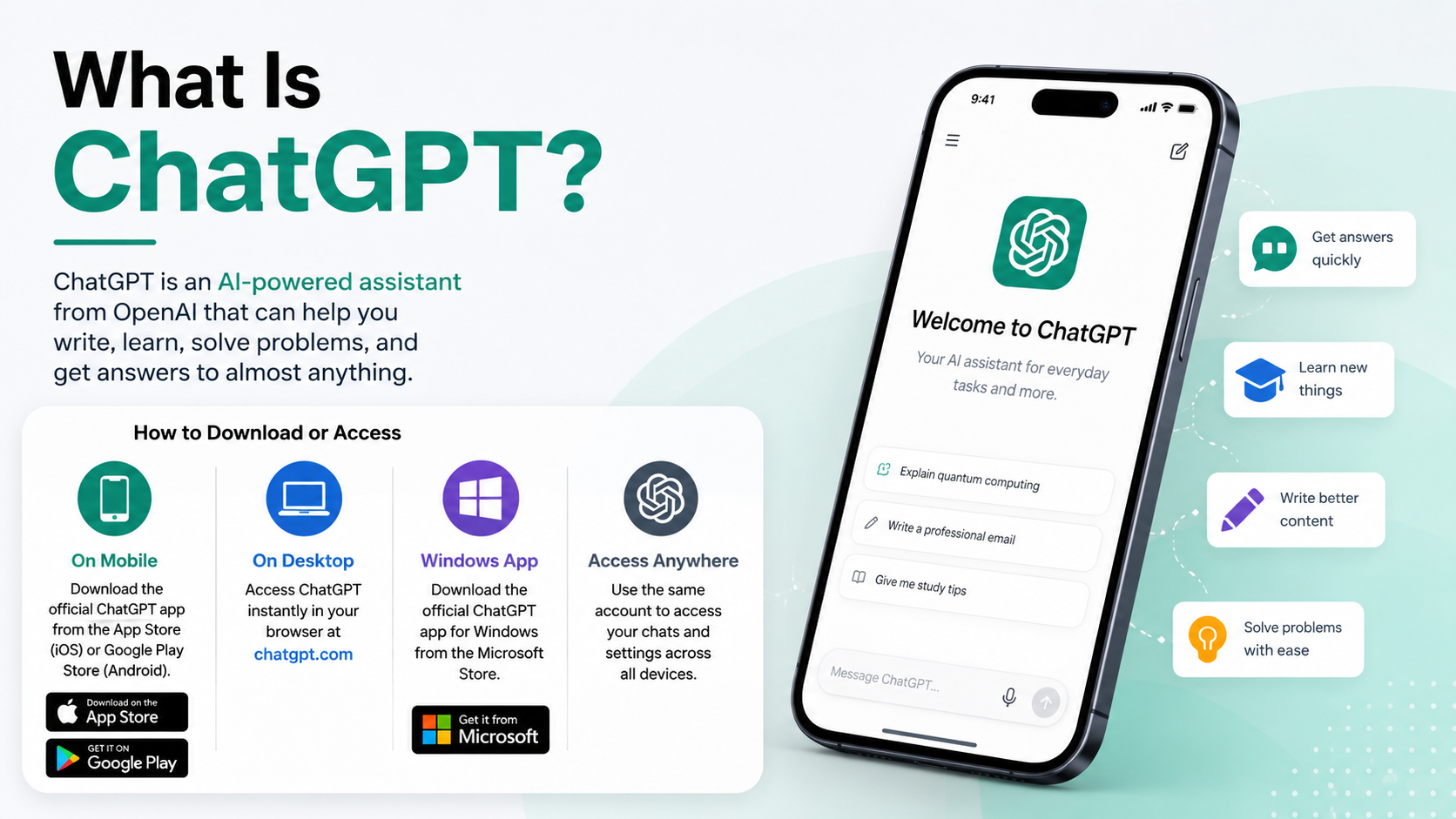
ChatGPT is OpenAI’s AI assistant for asking questions, writing, studying, planning, coding, summarising files and more. If you are searching for what is ChatGPT how to download it, the safest answer is simple: use chatgpt.com in a browser, or install the official app published by OpenAI from Google Play, Apple’s App Store, Microsoft Store, or OpenAI’s desktop download page.
Do not download ChatGPT APK files from random websites. The official Android app is available through Google Play, and India is on OpenAI’s supported-country list for ChatGPT access.
Key Takeaways
- ChatGPT is an AI assistant that responds to instructions in a chat.
- You can use ChatGPT on the web without installing anything.
- For Android and iPhone, install only the app whose publisher is OpenAI.
- Avoid unofficial APKs, “mod” apps and websites claiming unlimited premium access.
- ChatGPT has a Free plan; paid options and feature limits can change over time.
- India supports ChatGPT access, and eligible web subscriptions can use INR billing and UPI for some plans.
What Is ChatGPT?

ChatGPT is a conversational AI assistant made by OpenAI. You type or speak a request—called a prompt—and it generates a response based on the information and instructions you provide.
It can help with everyday tasks such as:
- Explaining school or college topics in simpler language
- Drafting emails, resumes, captions and reports
- Translating between English and Indian languages
- Creating study plans, revision notes and practice questions
- Brainstorming business names, content ideas or travel itineraries
- Writing, understanding and debugging code
- Summarising text and, where available on your plan, analysing uploaded files or images
- Searching the web and providing cited current information in supported experiences
For example, instead of asking “Tell me about photosynthesis,” you could ask: “Explain photosynthesis for a Class 8 CBSE student in 150 words, with three key points.”
ChatGPT can be useful, but it is not an authority on its own. Its answers can be incomplete or incorrect. Double-check important facts, calculations, medical guidance, legal information, exam answers and financial decisions using reliable sources.
The Safest Ways to Access ChatGPT
You do not necessarily need to download an app. The web version is the quickest option and works on most modern phones, tablets and computers.
| Device or platform | Official access method | Installation needed? |
|---|---|---|
| Android phone/tablet | Google Play Store listing published by OpenAI | Yes |
| iPhone/iPad | Apple App Store listing published by OpenAI | Yes |
| Windows PC | Microsoft Store | Yes |
| Mac | OpenAI’s ChatGPT desktop page | Yes |
| Linux/Chromebook/unsupported devices | chatgpt.com in a browser | No |
| Any supported device | chatgpt.com | No |
Using the website is also a good fallback if your phone has limited storage, your app store is unavailable, or a desktop app does not support your operating system.
How to Download the Official ChatGPT App on Android
The official ChatGPT Android app is distributed through the Google Play Store. OpenAI’s official guidance links to the Play Store package com.openai.chatgpt.

- Open the Google Play Store on your Android phone or tablet.
- Search for ChatGPT or OpenAI ChatGPT.
- Open the result and check that the publisher/developer is OpenAI.
- Tap Install.
- When installation finishes, tap Open.
- Sign in, create an account, or use the available guest-access option if shown.
You can also begin from OpenAI’s official Android app guidance, which points to the genuine Play Store listing.
Why You Should Not Download a ChatGPT APK
An APK is the Android installation file format. While APKs can sometimes be legitimate, third-party ChatGPT APK sites create avoidable risks:
- The file may be modified to include malware or intrusive advertising.
- It may imitate ChatGPT while collecting passwords, OTPs or payment information.
- It may not receive official security updates.
- “Premium unlocked” claims can indicate piracy, scams or altered software.
- You may be asked to disable Android security protections.
For normal users, Google Play is the appropriate official route. If Play Store access is unavailable, use ChatGPT in your mobile browser rather than installing an unknown file.
How to Download ChatGPT on iPhone or iPad
The official iOS app is available through Apple’s App Store.
- Open the App Store.
- Search for “OpenAI ChatGPT.”
- Select the listing published by OpenAI.
- Tap Get and authenticate with Face ID, Touch ID or your Apple ID password.
- Open the app after it installs.
- Sign in with the same OpenAI account you use on the web, if you have one.
OpenAI specifically advises iPhone and iPad users to confirm that the app is published by OpenAI before downloading. Avoid similarly named apps that use “GPT,” “AI chatbot” or “Chat assistant” in their titles but are made by unrelated developers.
How to Access ChatGPT on a Computer
Use ChatGPT in Your Browser
For most people, the browser version is the easiest choice.
- Open Chrome, Edge, Safari, Firefox or another up-to-date browser.
- Visit chatgpt.com.
- Choose Log in if you already have an account, or Sign up to create one.
- Type your request into the message box and send it.
OpenAI states that ChatGPT can also be tried without an account in supported regions. However, signing in is useful if you want features such as saved chat history and account settings.
Download the Windows App
ChatGPT for Windows is available through the Microsoft Store.
- Open the Microsoft Store on your Windows computer.
- Search for ChatGPT.
- Confirm the listing is the official one from OpenAI.
- Select Get or Install.
- Launch the app and sign in.
OpenAI lists the Windows requirement as Windows 10 version 17763.0 or later, for x64 and Arm64 systems. Some features may differ from the web or macOS experience, and work or school PCs may restrict Microsoft Store downloads through organisation policies.
Download the macOS App
For a Mac, start at OpenAI’s official desktop page, download the installer, then open it from Finder and complete the sign-in or sign-up flow.
OpenAI’s current macOS guidance lists macOS 14 or later and either Apple silicon (M1 or later) or an Intel processor as supported requirements. If your Mac runs an older version of macOS, use ChatGPT in a browser instead of downloading installers from third-party sites.
What About Linux and Chromebooks?
OpenAI does not provide a standard native Linux download route in its consumer app guidance. On Linux and most Chromebooks, use chatgpt.com through a supported browser. You can optionally create a browser shortcut, but it is still the web version—not an official Linux desktop app.
Is ChatGPT Free in India?
Yes. ChatGPT offers a Free plan, although access to particular models, messages and tools may have limits that change with demand and product updates.
OpenAI also offers paid plans with higher limits and additional features. Exact plan names, pricing and included features can vary, so check the live options under Settings → Subscription in ChatGPT or on OpenAI’s pricing page before paying.
For India, OpenAI’s billing guidance lists INR as a supported web-billing currency. It also states that UPI is available for ChatGPT Go and Plus web subscriptions, while UPI is not offered for Pro or Business plans at the time of publication. App subscriptions are handled through Google Play or Apple’s App Store and may appear in local currency.
A paid ChatGPT subscription is separate from OpenAI API billing. Paying for ChatGPT does not automatically provide API credits for developers.
Sign In, Privacy and Safe Use
You may be able to start a web chat without an account, but logging in gives you a more persistent experience. Use the same account across your phone, computer and browser to access the same chat history and settings.
Before uploading anything, consider its sensitivity. Do not paste:
- Passwords, OTPs, card numbers or bank credentials
- Aadhaar, PAN or passport details unless absolutely necessary
- Confidential client, employer or school data without permission
- Private health, legal or financial documents unless you understand the relevant controls
For a sensitive one-off conversation, look for Temporary Chat. OpenAI says temporary chats do not appear in chat history, do not create or use memories, and are not used to train models. Review the current Data Controls and privacy settings in your account for the options available to you.
Common ChatGPT Download and Access Problems
The Play Store or App Store says the app is unavailable
First, make sure your store country/region is set correctly and that your device software is updated. India is supported for ChatGPT access, but app-store availability can still depend on your Apple ID or Google account region, device compatibility and organisation restrictions.
If the app is unavailable, open chatgpt.com in your browser instead. Do not switch to an unofficial APK download as a workaround.
I cannot sign in
Check that you are using the same sign-in method used during registration—for example, Google, Apple, Microsoft or email/password. If you created the account through “Continue with Google,” use that option again.
Also check your internet connection, update the app, and try the web version. If the issue persists, use the support chat on OpenAI Help Center.
The app is installed but not working
Try these practical steps:
- Force-close ChatGPT and reopen it.
- Switch between Wi-Fi and mobile data.
- Update the app through the official store.
- Restart the phone or computer.
- Check whether ChatGPT works in a browser.
- On Windows, use Settings → Apps → Installed apps → ChatGPT → Advanced options → Reset if needed.
Avoid sharing screenshots that reveal your account email, payment details or private conversations when seeking help.
A website says I need a special activation key
That is not part of the normal official ChatGPT installation process. Do not pay for “activation keys,” “lifetime premium APKs,” account credentials or modified apps. Use the official store listing, website and subscription flow only.
Frequently Asked Questions
Is there an official ChatGPT app for Android?
Yes. The official Android app is available on Google Play. Check that the publisher is OpenAI before installing it.
Can I use ChatGPT without downloading it?
Yes. Visit chatgpt.com in a browser. This is the simplest option for Linux, Chromebooks, older devices and users who do not want to install an app.
Is ChatGPT officially available in India?
Yes. India is listed among OpenAI’s supported countries and regions for ChatGPT on web and mobile.
Do I need an account to use ChatGPT?
Not always. OpenAI allows web access without an account in supported regions, but account features such as saving chats require signing in.
Is ChatGPT free to download?
The official app download is free. ChatGPT also has a Free plan, while paid subscriptions offer additional access and higher limits.
Can I download ChatGPT on Windows 7?
No official Windows 7 support is listed. OpenAI’s Windows app requirement is Windows 10 version 17763.0 or later. Use the web version if your system cannot run the app.
Is it safe to download ChatGPT from an APK website?
It is safer to avoid third-party APK websites. Download from Google Play, Apple’s App Store, Microsoft Store or OpenAI’s own desktop page, or use the official website.
Does ChatGPT always give correct answers?
No. It can make mistakes or present inaccurate information confidently. Use it as a helpful assistant, then verify important claims with trustworthy, current sources.