How Much Does It Cost to Download Apps on Android and iPhone? Complete Guide
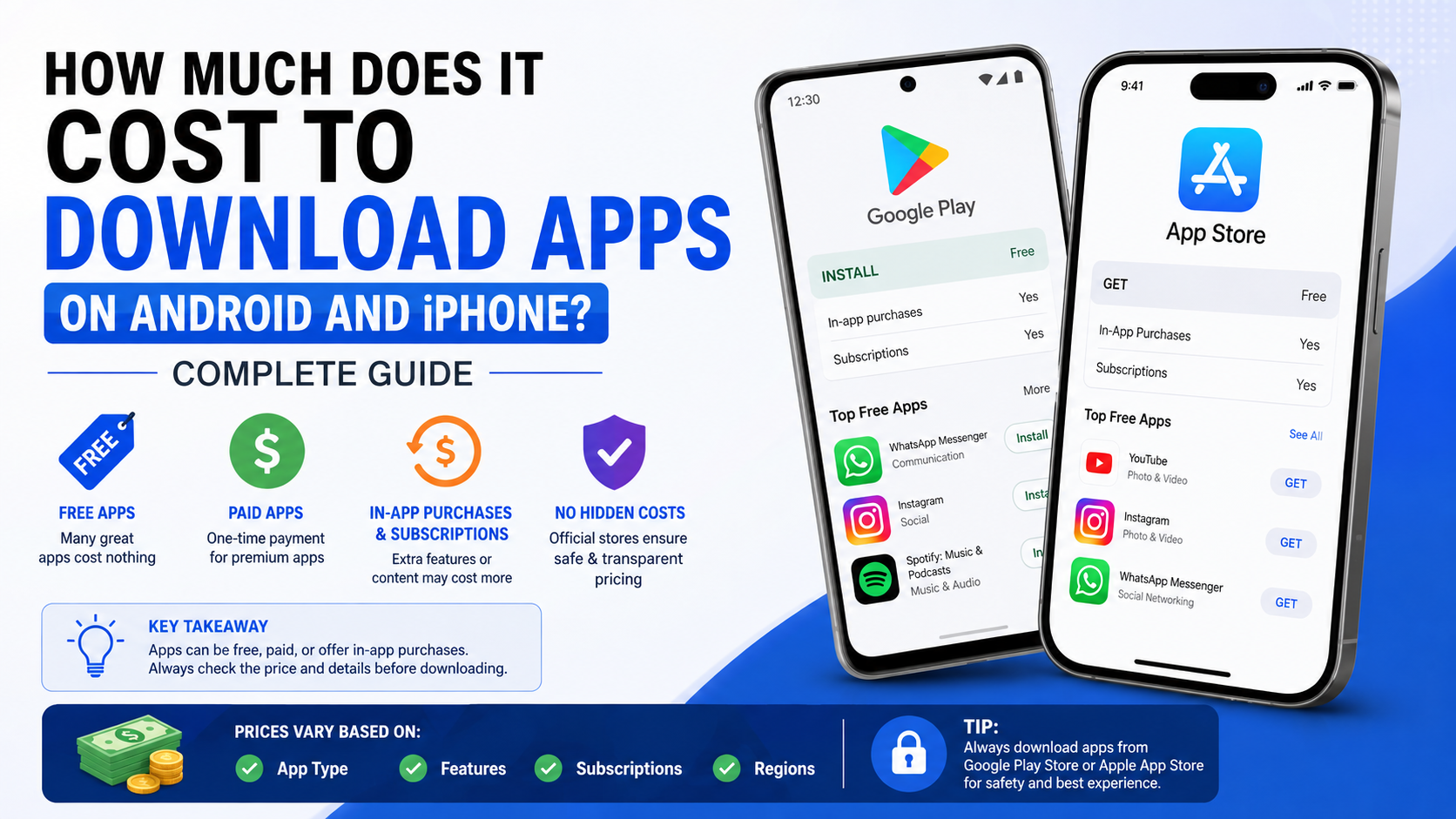
Most apps cost ₹0 to download. On Android, an app marked Install in Google Play is free to download; on iPhone, an app marked Get in the App Store is free to download. However, a free download does not always mean the entire app is free to use: it may include ads, optional in-app purchases, or a recurring subscription.
If an app has a price instead of Install or Get, you pay the displayed amount before downloading it. The final cost can also include the mobile data or Wi-Fi connection you use, although the app store itself does not charge a separate download fee for a free app.
Key Takeaways
- Install on Google Play and Get on the App Store usually mean the app download is free.
- Paid apps show their price in INR before you approve the purchase.
- “Free” apps can still charge for premium tools, game items, ad removal, or subscriptions.
- Check for “In-app purchases” or subscription details on the store listing before downloading.
- Use Google Play and Apple’s App Store as the safest standard download sources.
- A paid app is not automatically a lifetime subscription; read the app’s purchase terms carefully.
The Short Answer: Are Apps Free to Download?
Apps fall into four common price models:
| App type | What you pay to download | Possible later cost |
|---|---|---|
| Completely free app | ₹0 | None, unless the developer changes its model later |
| Free app with ads | ₹0 | Optional payment to remove ads may be offered |
| Free app with in-app purchases | ₹0 | Optional features, credits, game items, or upgrades |
| Subscription app | Usually ₹0 | Recurring monthly, quarterly, or annual fee for premium access |
| Paid app | Displayed price | May also offer optional in-app purchases |
The price shown on the official store listing is the key indicator. Do not assume that a popular app, game, photo editor, streaming service, or AI tool is free forever simply because the first download costs nothing.
Apple states that an app displaying Get is free to download, while also noting that some free apps offer in-app purchases and subscriptions. Apple’s App Store download guidance explains this distinction directly.
Google similarly identifies content on Google Play as either available at no charge or requiring purchase. Google Play’s official help page shows that you select either Install or the item’s displayed price.
What You May Pay for After Downloading a Free App
A free app can be useful without costing anything, but its developer may offer paid extras. These are separate from the initial app download.
In-app purchases
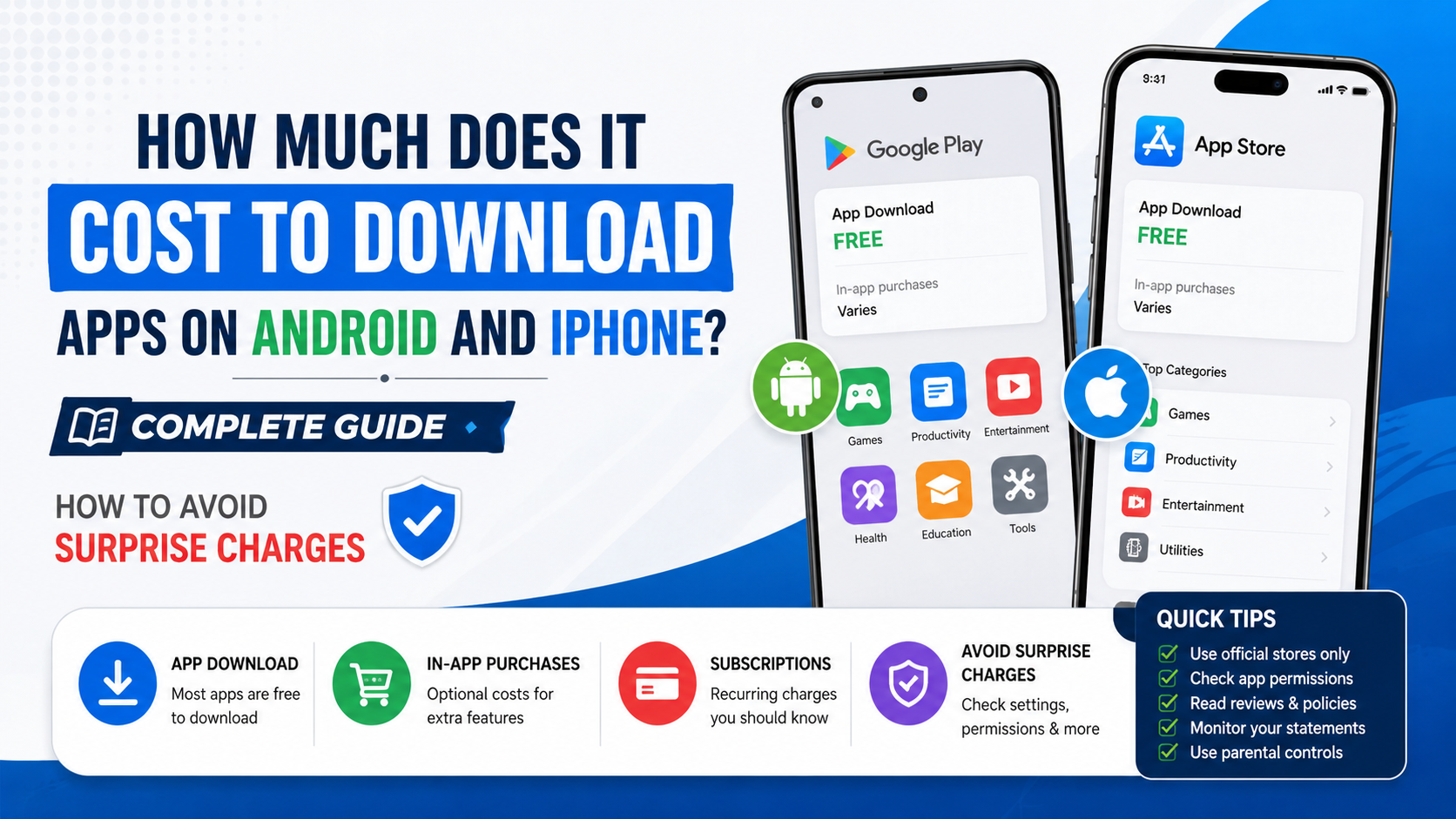
An in-app purchase is a one-time purchase made inside an app. Common examples include:
- Removing advertisements
- Unlocking a premium editing tool
- Buying additional cloud storage
- Purchasing game coins, skins, levels, or passes
- Unlocking a one-time “Pro” upgrade
Before installing, look for the “In-app purchases” label on the Google Play or App Store listing. It signals that the app can offer paid digital items or features.
Subscriptions
Subscriptions renew on a schedule, such as monthly or annually, unless you cancel them. They are common in:
- Video and music streaming apps
- Learning platforms
- Fitness and meditation apps
- Photo and video editing tools
- VPN, antivirus, storage, and productivity apps
- Premium news and AI services
Always check three details before starting a trial or subscription:
- The recurring price in INR.
- The billing period, such as “₹___ per month.”
- The renewal date and cancellation method.
A free trial can become a paid subscription when the trial period ends if you do not cancel before renewal.
Mobile-data charges
Downloading from the app store may be free, but your telecom provider can still charge for mobile data if your plan does not include sufficient data. Larger games and apps can use substantial data, especially when they download additional files after installation.
To avoid an unexpected data charge:
- Use Wi-Fi for large downloads.
- Check the app size shown in the store.
- Watch for in-app downloads after the first installation.
- Review your mobile plan’s remaining data balance.
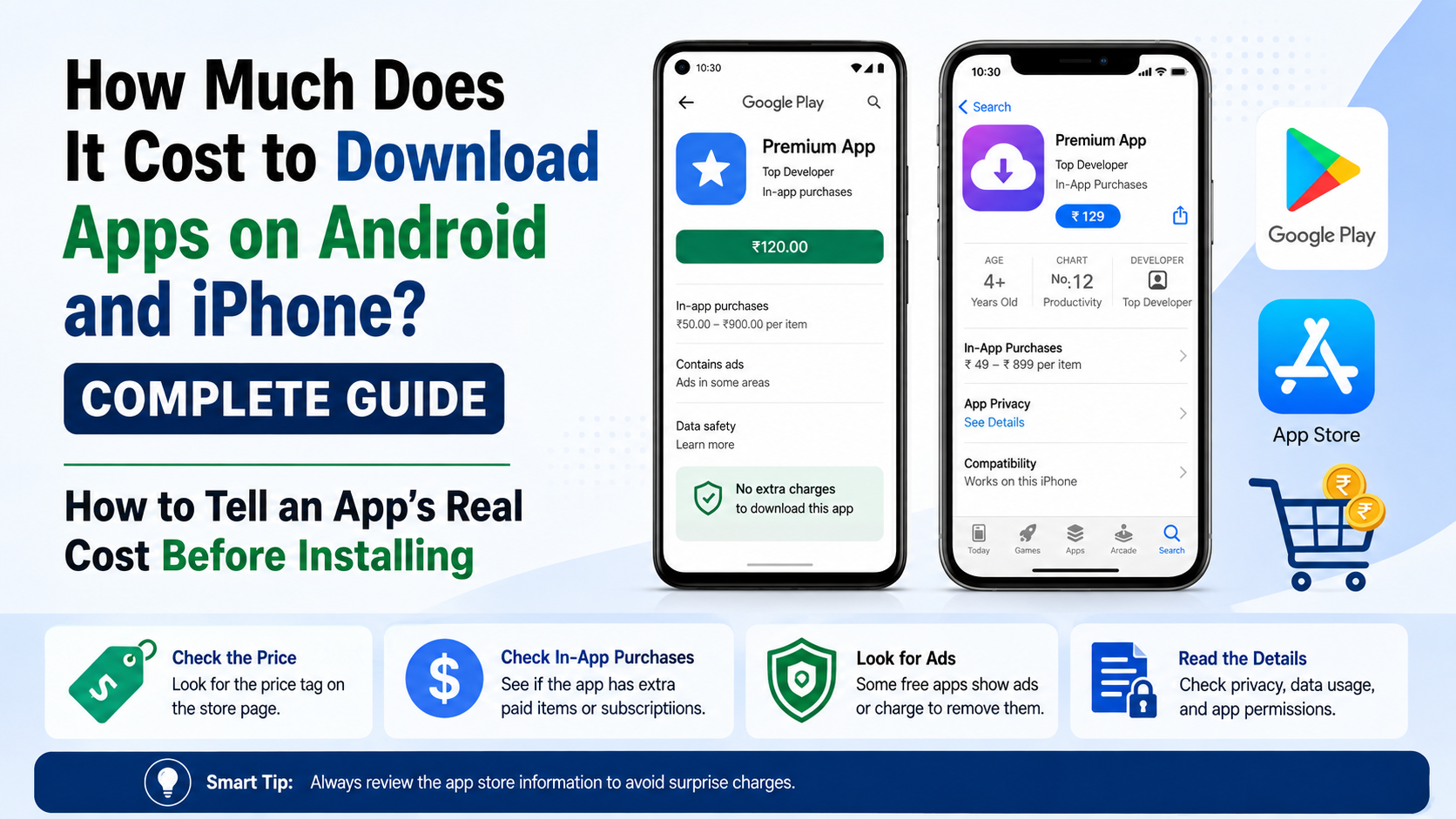
How to Tell an App’s Real Cost Before Installing
The most reliable approach is to read the official listing rather than relying on advertisements, search results, or social-media links.
On Android: Google Play Store
- Open the Google Play Store.
- Search for the app by its exact name.
- Check the main button:
- Install usually means the download is free.
- A price in rupees means it is a paid app.
- Scroll through the listing for “In-app purchases” and subscription information.
- Review the developer name, ratings, permissions, and screenshots.
- Tap Install or the price button only when you are comfortable with the terms.
Google Play supports app and digital-content purchases through payment methods attached to your Google Account. In India, Google lists supported options including certain credit and debit cards, Google Play balance, netbanking, and UPI for eligible purchases and subscriptions. Availability can depend on the transaction and payment provider. See Google Play’s India payment-method guidance.
On iPhone and iPad: Apple App Store
- Open the App Store.
- Search for the app.
- Check the button:
- Get means the app is free to download.
- A displayed price means payment is required before download.
- Read the information below the listing for in-app purchases and subscription options.
- Tap Get or the price.
- Confirm with Face ID, Touch ID, your device passcode, or Apple Account password when prompted.
Apple may require a valid payment method on your account even when you are downloading a free app, particularly if there is a billing issue or account verification requirement. If a payment method is declined, Apple advises adding a different valid payment method and contacting the financial institution if necessary. Apple’s payment-method troubleshooting page has the current steps.
Are Paid Apps Worth Buying?
A paid app can be worthwhile when it provides a clear benefit without ads, recurring charges, or locked essential features. But price alone does not guarantee quality.
Before buying, consider:
- Does the free version or trial meet your needs?
- Is the payment one-time or recurring?
- Does the app have a current update history?
- Is the developer identifiable and responsive?
- Are reviews recent and specific?
- Does the app require permissions that do not fit its purpose?
- Is the same feature available from a trusted free alternative?
For example, a ₹99 one-time utility app may cost less over a year than a “free” alternative with a ₹99 monthly subscription. Compare the total expected cost, not just the download button.
Safest Ways to Download Apps
For most users, the safest legitimate source is the official store built into the device:
| Device | Recommended source | Avoid unless you understand the risk |
|---|---|---|
| Android phone or tablet | Google Play Store | APK files from unknown sites, chat groups, or pop-up adverts |
| iPhone or iPad | Apple App Store | Links asking for Apple Account details outside Apple’s normal purchase flow |
| Android TV, Wear OS, Chromebook | Google Play, using the compatible-device filter | Unverified installer packages |
| Mac | Mac App Store or the developer’s official website | Repackaged download sites and “cracked” software pages |
Third-party Android APK sites can expose users to modified apps, malware, intrusive advertising, or fake updates. An APK is the installation package used by Android, but it is not automatically trustworthy just because it has an app’s name.
On iPhone and iPad, Apple’s normal route is the App Store. Apple also warns that purchases outside its App Store or in-app purchase system can create additional security and privacy risks, including sharing payment information with more parties and more difficult refund or cancellation support. Read Apple’s guidance on purchases outside its system.
How to Avoid Surprise Charges
Use these controls before handing a phone to a child or sharing a device with family members.
Turn on purchase authentication
On Android, Google Play lets you require verification for purchases. Depending on your device and settings, this may use password, biometrics, or payment-method authentication. Google recommends reviewing the purchase-verification setting, particularly for shared devices. Google Play purchase verification options include requiring approval for every purchase.
On iPhone, use Screen Time to restrict installing apps, deleting apps, and making in-app purchases. Go to:
Settings > Screen Time > Content & Privacy Restrictions > iTunes & App Store Purchases
For family accounts, Apple’s Ask to Buy feature can require an adult’s approval for a child’s download or purchase request.
Check subscriptions regularly
A common mistake is deleting an app and assuming its subscription has ended. Uninstalling an app does not necessarily cancel a subscription.
- On Android, open Google Play, tap your profile icon, then review Payments & subscriptions.
- On iPhone, open Settings, tap your name, then tap Subscriptions.
Cancel an unwanted subscription through the store or billing provider before its next renewal date.
Keep proof of purchases
Save the order email or receipt, especially for high-value game purchases, annual subscriptions, or professional apps. It helps if you need to contact the developer, track a charge, or request a refund.
What to Do If You Were Charged Unexpectedly
First, identify whether the charge is for a paid app, an in-app purchase, or a recurring subscription. Check the purchase history in the Google Play Store or App Store and make sure you are looking at the correct Google Account or Apple Account.
For Google Play purchases, refunds depend on the item, timing, payment method, and circumstances. Google says refund eligibility can vary; within 48 hours, you may be able to request a refund through Google Play, while after 48 hours it advises contacting the app developer for many app and in-app purchase issues. Google Play’s current refund policy explains the process.
For an unauthorised charge, do not simply uninstall the app. Secure the account, change the password if you suspect access by another person, review payment methods, and report the transaction through the relevant store and your bank when appropriate.
Common Download and Payment Problems
“This app is not compatible with your device”
The app may require a newer Android or iOS version, particular hardware, or a supported region. Check the store listing and use the device filter on Google Play when available. Do not download an unofficial modified version to bypass compatibility restrictions.
“Payment method declined”
Confirm that your card, UPI setup, balance, or bank approval is valid. Google Play and Apple can require additional authentication. If the problem continues, contact the bank or card issuer; they can explain transaction restrictions that the app store cannot see.
“The app says free, but asks for payment”
The download may be free while a premium feature requires payment. Check whether the feature is a subscription, one-time in-app purchase, or optional upgrade. If the app did not clearly describe the charge, contact the developer and use the official store’s support or refund process.
Frequently Asked Questions
How much are apps to download in India?
Many apps are free to download. Paid apps show a price in INR in Google Play or the Apple App Store before you approve the purchase. Free apps may still offer paid subscriptions or in-app purchases.
Does “Get” mean free on an iPhone?
Yes. In the App Store, Get means the app is free to download. It may still contain optional in-app purchases or subscriptions.
Does “Install” mean free on Android?
Usually, yes. On Google Play, Install indicates that you do not pay to download the app. Check the listing for in-app purchases, advertisements, or subscription offers.
Do I need a payment method to download free apps?
Not always, but Apple may request a valid payment method in some situations. Google Play and Apple can also require account verification or resolution of an existing billing issue before allowing downloads.
Are app subscriptions charged every month?
Some are, but billing frequency varies. A subscription can renew weekly, monthly, quarterly, or annually. Read the price and renewal period before confirming it.
Can I download a paid app again without paying?
Generally, you can re-download an app you already purchased using the same store account, provided it remains available. This does not necessarily include subscriptions or consumable in-app items.
Is it safe to download APK files instead of using Google Play?
Only download Android installation files from a source you can independently trust, such as the official developer website when it provides one. Unknown APK sites and forwarded files can be modified or malicious, so Google Play is the safer default for most users.
Does deleting an app stop its subscription?
No. Deleting the app usually removes it from the device but does not cancel a subscription. Cancel the subscription through Google Play, your Apple Account settings, or the billing provider.