

How to Download an e Aadhar Card Online and Open the Digital PDF
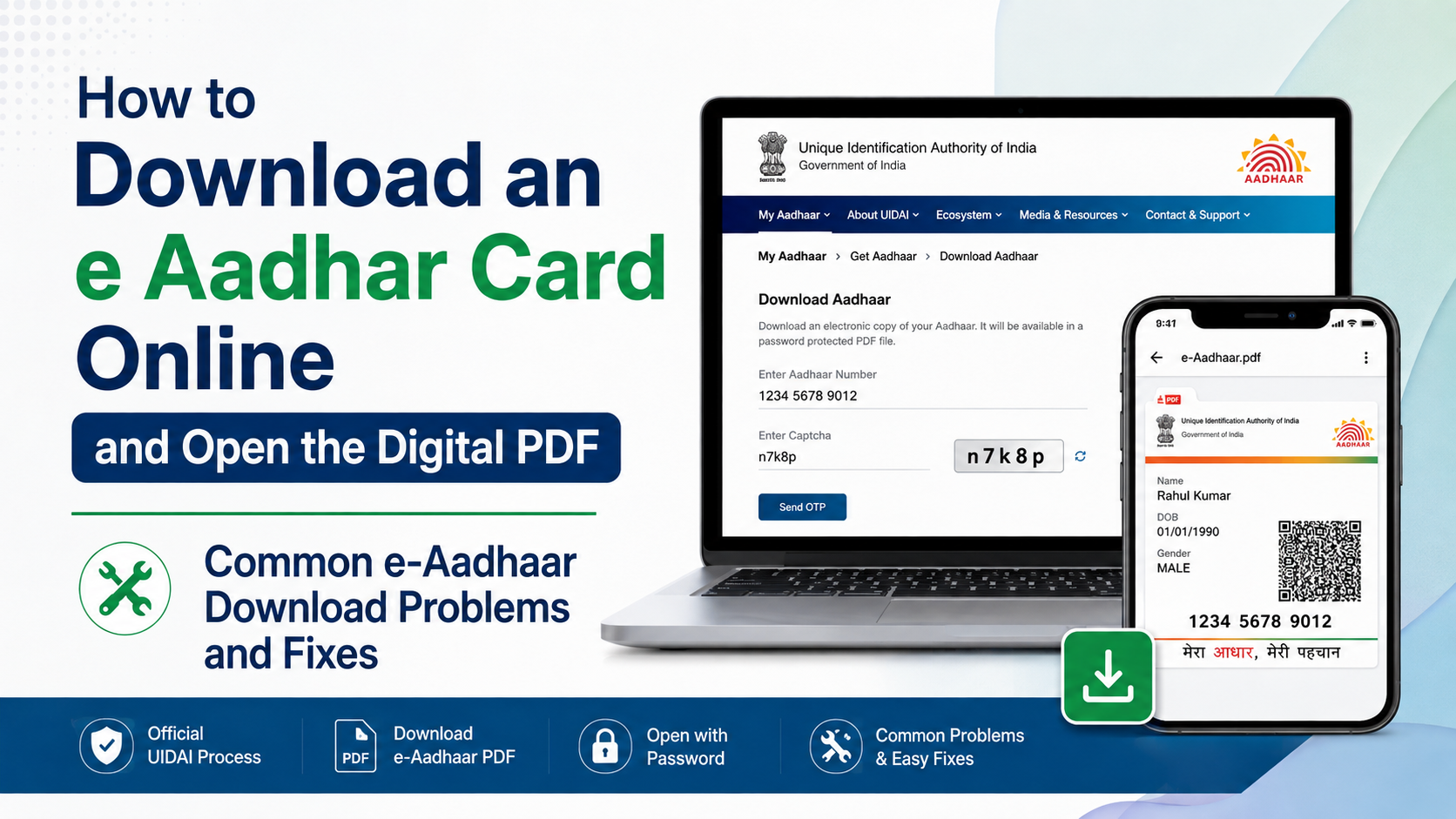
To download an e-Aadhaar, use UIDAI’s official MyAadhaar portal, enter your Aadhaar number, Enrolment ID (EID), or Virtual ID (VID), and verify the one-time password (OTP) sent to your registered mobile number. The downloaded PDF is password-protected and digitally signed by UIDAI.
Use the official download page: MyAadhaar – Download Aadhaar. Do not use third-party “Aadhaar download” websites or apps that ask for your Aadhaar number, OTP, or PDF password.
Key Takeaways
- e-Aadhaar is a password-protected digital PDF of your Aadhaar, digitally signed by UIDAI.
- You can download it using your 12-digit Aadhaar number, 28-digit Enrolment ID, or 16-digit VID.
- An OTP sent to the mobile number registered with Aadhaar is required for online download.
- The PDF password is the first four characters of your name in CAPITAL letters plus your birth year.
- A masked Aadhaar shows only the last four digits of your Aadhaar number and is useful when full disclosure is unnecessary.
- e-Aadhaar is valid in the same way as the physical Aadhaar letter under UIDAI guidance.
What You Need Before Downloading e-Aadhaar

Keep these details ready before starting:
| Requirement | What it means |
|---|---|
| Aadhaar number, EID, or VID | Use any one of these identifiers to begin the download |
| Registered mobile number | Needed to receive the OTP |
| Internet-connected phone or computer | Required to access the MyAadhaar portal |
| PDF reader | Needed to open the downloaded file; Adobe Acrobat Reader can display signature details |
| PDF password | First four characters of your name in capitals + year of birth |
The online service is intended for Aadhaar holders whose mobile number is registered with UIDAI. If you cannot receive the OTP, see the troubleshooting section below.
How to Download an e Aadhar Card From the UIDAI Website
The official MyAadhaar portal is the safest and most direct way to download your digital Aadhaar copy.
- Open the official Download Aadhaar page.
- Choose the identifier you want to use:
- Aadhaar Number: your 12-digit Aadhaar number
- Enrolment ID (EID): the 28-digit number on your enrolment acknowledgement slip
- Virtual ID (VID): a temporary 16-digit number linked to your Aadhaar
- Enter the selected number and the security code shown on the page.
- If the portal offers the option, select Masked Aadhaar when you want the PDF to display only the last four Aadhaar digits.
- Select Send OTP.
- Check the mobile number registered with Aadhaar for the OTP. Enter it on the portal.
- Read the consent or declaration shown on screen, select the required checkbox, and choose Verify and Download.
- Save the downloaded PDF in a private folder on your device.
The downloaded file is your e-Aadhaar. It can be viewed on Android phones, iPhones, Windows PCs, Macs, and other devices that support password-protected PDF files.
Aadhaar Number, Enrolment ID, or VID: Which Should You Use?
All three official options can be used to request an e-Aadhaar download, but they are useful in different situations.
| Option | Best when | Important detail |
|---|---|---|
| Aadhaar number | You know your 12-digit number | Most straightforward option |
| Enrolment ID | You have recently enrolled or have the acknowledgement slip | The EID includes the enrolment number and date/time stamp |
| Virtual ID | You prefer not to enter your Aadhaar number online | VID is a temporary, revocable 16-digit number |
A VID can be generated or retrieved through UIDAI services. It is designed to let you use an alternative identifier for certain Aadhaar-based transactions without sharing the Aadhaar number itself.
How to Open the Downloaded e-Aadhaar PDF
The e-Aadhaar file does not open immediately because it is protected with a password. This is normal and helps prevent someone who obtains the file from viewing your details without authorisation.
e-Aadhaar PDF Password Format
Use this format:
First four characters of your name in CAPITAL letters + year of birth in YYYY format
For example:
| Name on Aadhaar | Year of birth | Password |
|---|---|---|
| Suresh Kumar | 1990 | SURE1990 |
| Sai Kumar | 1990 | SAIK1990 |
| Ria | 1990 | RIA1990 |
| P. Kumar | 1990 | P.KU1990 |
Use the name details as recorded in Aadhaar. If your name has fewer than four characters, use the available characters, then add the four-digit year of birth. Do not add spaces unless a punctuation character is part of the name format shown in UIDAI’s example.
Steps to Open the File
- Find the PDF in your device’s Downloads folder or the location you selected.
- Tap or double-click the file.
- Enter the e-Aadhaar password in the required format.
- Open the document and check that your name, photograph, date of birth or year of birth, address, and QR code appear correctly.
- If you need a printed copy, use the PDF reader’s Print option after opening it.
For signature information, open the PDF in a trusted reader such as Adobe Acrobat Reader. UIDAI identifies e-Aadhaar as digitally signed; a capable PDF reader may show the signature status or provide an option to validate it.
Full e-Aadhaar vs Masked Aadhaar
A full e-Aadhaar displays the Aadhaar number. A masked e-Aadhaar replaces its first eight digits with xxxx-xxxx and shows only the final four digits.
| Type | Aadhaar number visibility | Suitable use |
|---|---|---|
| Full e-Aadhaar | Full number displayed | Use only where a complete Aadhaar copy is genuinely required |
| Masked Aadhaar | Only final four digits displayed | Preferable for routine document sharing when accepted |
Choose the masked version whenever the receiving organisation does not need your complete Aadhaar number. It reduces unnecessary exposure of a sensitive identifier while preserving the document’s other details and QR code.
Before submitting either version, check the organisation’s document requirement. Some applications may specifically request a full or masked copy, while others may accept another identity document.
If You Do Not Know Your Aadhaar Number or EID
If your registered mobile number or email address is available, use UIDAI’s Retrieve Lost or Forgotten EID/UID service.
Select whether you want to retrieve your Aadhaar number or EID, then enter your full name, registered mobile number or email address, and the captcha. After OTP verification, UIDAI sends the requested detail to the linked mobile number.
If your mobile number is not linked to Aadhaar, online e-Aadhaar download will not work because the portal requires OTP verification. You can instead visit an Aadhaar Enrolment Centre or Aadhaar Seva Kendra in person for the Print Aadhaar service. UIDAI states that biometric authentication is required and the service may cost ₹30.
You can also call UIDAI’s toll-free helpline, 1947, for guidance on retrieving Aadhaar-related details.
Common e-Aadhaar Download Problems and Fixes
OTP is not received
First, confirm that the SIM with your registered mobile number is active and has network coverage. Wait briefly before requesting a new OTP, and avoid repeatedly generating OTPs in quick succession.
If the number is not registered with Aadhaar, an online download cannot be completed. Visit an Aadhaar Enrolment Centre to update the mobile number or use the in-person print service.
The PDF password is rejected
Check these common mistakes:
- Use the first four characters of the name in uppercase.
- Add the birth year as four digits, such as
1998. - Do not use your full date of birth, Aadhaar number, mobile number, or PIN code as the password.
- Check punctuation if your Aadhaar name includes initials, as in UIDAI’s
P.KU1990example. - Ensure you are opening the latest downloaded PDF rather than an older file with different Aadhaar details.
The portal does not load or download fails
Use a current browser, check your connection, and try again later if the UIDAI portal is busy. Avoid browser extensions, unofficial download managers, or public computers for Aadhaar-related work.
If a file downloads but will not open, download it again only from the official MyAadhaar portal and open it with a trusted PDF reader.
Your details are outdated
Downloading e-Aadhaar does not update your name, address, mobile number, or date of birth. If the PDF shows older information, update the relevant Aadhaar detail through UIDAI’s approved process, then download a new copy after the update is processed.
Keep Your Digital Aadhaar Copy Secure
Your Aadhaar PDF contains personal identity information. Treat it like a sensitive document.
- Download it only from the official UIDAI portal or UIDAI’s official mobile application.
- Never share the OTP or PDF password through calls, messages, email, or social media.
- Avoid downloading or storing the file on public computers, cybercafés, or shared devices.
- Do not upload the PDF to random “unlock PDF” or document-conversion websites.
- Store it in a password-protected device folder or encrypted cloud account if you need a backup.
- Share a masked Aadhaar where it meets the recipient’s requirement.
The QR code on e-Aadhaar can be used for offline verification with UIDAI-supported tools. A QR code alone should not be treated as permission to collect, store, or misuse a person’s Aadhaar information.
Can You Download e-Aadhaar Through an App?
UIDAI also provides official mobile-app options for Aadhaar services. Download an Aadhaar-related app only from the Google Play Store or Apple App Store, and confirm that the publisher is UIDAI before installing it.
For most people, the browser-based MyAadhaar download page is the quickest option because it works on both mobile and desktop devices without requiring an app installation. The same registered-mobile OTP requirement still applies.
Frequently Asked Questions
Is e-Aadhaar valid as proof of identity?
Yes. UIDAI describes e-Aadhaar as a password-protected electronic copy that is digitally signed by UIDAI, and states that it is equally valid as the physical Aadhaar copy.
Is e-Aadhaar download free?
The official online e-Aadhaar download service is free. Charges can apply if you use an Aadhaar Enrolment Centre’s Print Aadhaar service; UIDAI lists this service at ₹30.
Can I download e-Aadhaar without a registered mobile number?
Not through the online MyAadhaar download process, because OTP verification is required. Visit an Aadhaar Enrolment Centre or Aadhaar Seva Kendra for biometric-authenticated print services.
What is the password for an e-Aadhaar PDF?
It is the first four characters of your name in CAPITAL letters followed by your birth year in YYYY format. For example, Suresh Kumar, born in 1990, would use SURE1990.
Can I download a masked Aadhaar?
Yes. Select the Masked Aadhaar option on the official download page when available. It hides the first eight Aadhaar digits and shows only the last four.
Can I use VID instead of my Aadhaar number?
Yes. UIDAI allows e-Aadhaar download using a 16-digit Virtual ID, along with Aadhaar number and Enrolment ID options.
Should I remove the password from my e-Aadhaar PDF?
Avoid uploading the document to third-party PDF-unlocking services, as they may expose sensitive personal information. If an organisation requires a particular file format, ask it for an approved submission method or use a trusted local PDF application only after considering the privacy implications.




