

How to Download and Install Google Play Store on Android Devices
If your Android phone supports Google Play, the Google Play Store is normally pre-installed as a system app. You usually do not need to download a separate APK. First search your app drawer for Google Play Store and check Settings > Apps to see whether it is disabled. If the phone was sold without Google Mobile Services (GMS), installing the Play Store manually may not make it fully functional.
This guide explains the safest way to download Play Store features, restore a missing app, install updates, understand APK risks and troubleshoot common problems in India.
Key Takeaways
- On Play Protect-certified Android phones, Google Play Store normally comes pre-installed.
- A missing icon often means the app is hidden or disabled, not uninstalled.
- The safest installation and update method is through the phone’s system settings and Google Play itself.
- APK files from random websites can be modified, unsafe or incompatible.
- Phones without Google certification may not support Play Store reliably.
- Clearing Play Store cache, checking storage and updating Android solve many download errors.
Is Google Play Store compatible with your Android phone?

Google says the Play Store comes pre-installed on Android devices that support Google Play. Certified phones are tested for compatibility and security and are designed to run Google apps correctly. You can check whether your phone is certified from the Play Store:
- Open Google Play Store.
- Tap your profile picture in the top-right corner.
- Tap Settings.
- Open About.
- Look for Play Protect certification.
A certified phone from brands such as Samsung, Xiaomi, Motorola, OnePlus, Vivo, Oppo, Realme and Google generally includes Google Play in India, although the exact menu names differ by model and Android version. Google notes that uncertified devices may not be secure, may not receive updates correctly and may have apps or features that do not work as intended. Android Certified
Some devices, including certain imported models, custom-ROM phones and products sold without Google licensing, may ship without Google Play Store or Google Play services. Amazon Fire tablets and some China-market phones are examples of devices that may use a different app ecosystem.
How to download Play Store on Android
Method 1: Find and enable the pre-installed app
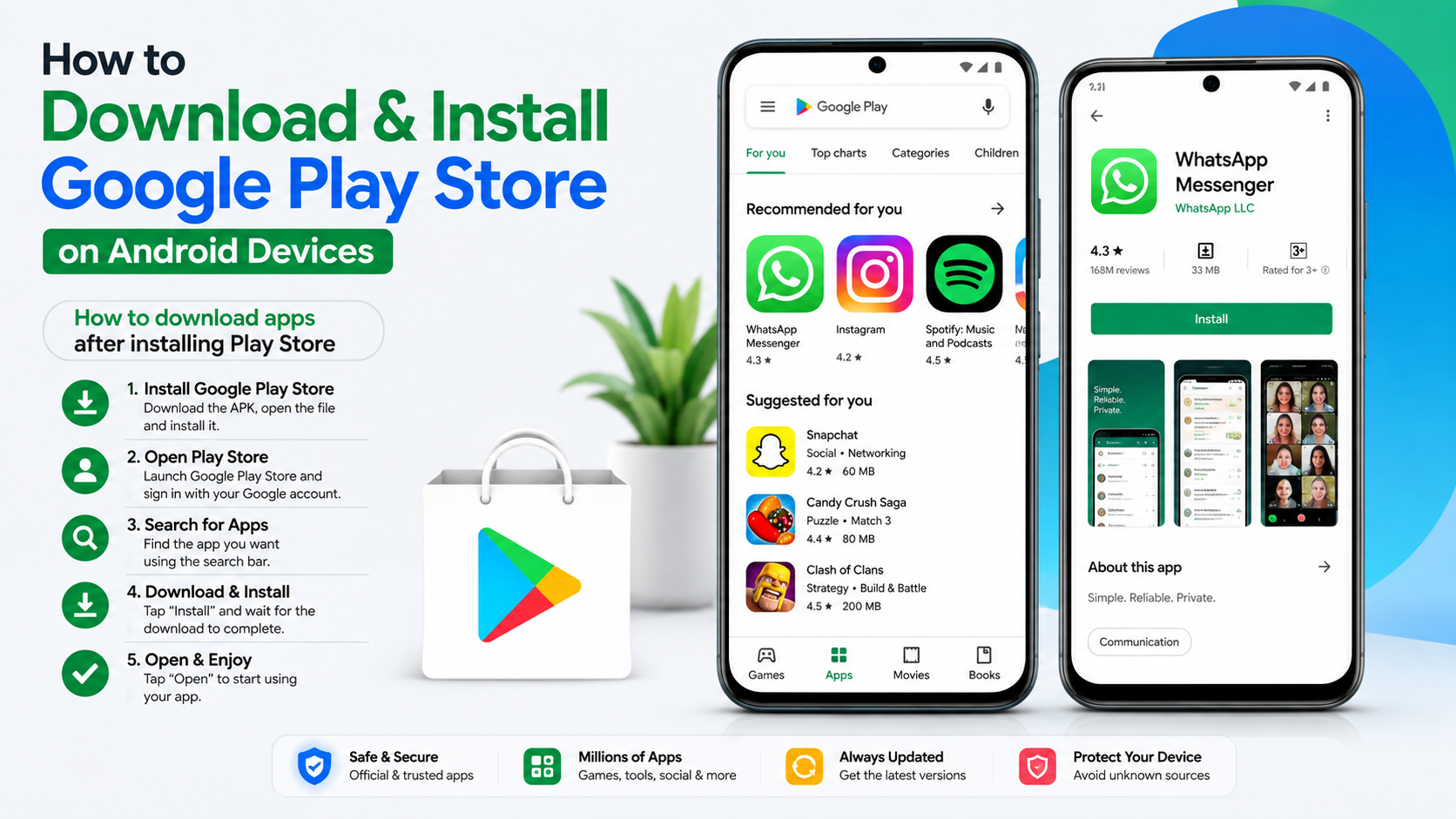
This is the recommended method because it does not require downloading an APK.
- Open your phone’s app drawer and search for Play Store.
- If it appears, tap it and sign in with your Google Account.
- If it does not appear, open Settings.
- Tap Apps, Apps & notifications or App management.
- Select See all apps if necessary.
- Search for Google Play Store.
- Tap Enable if the app is disabled.
- Restart the phone and open Play Store again.
On some phones, a disabled system app is shown under Disabled apps or Turned off. The Play Store may also be hidden by a launcher or parental-control setting. Google recommends confirming that the device is supported, re-enabling the app and restarting the phone when the icon cannot be found. Find the Google Play Store app
Method 2: Update Google Play Store
If Play Store opens but behaves strangely, install its built-in update:
- Open Google Play Store.
- Tap your profile picture.
- Tap Settings.
- Tap About.
- Under Play Store version, tap Update Play Store.
If an update is available, it downloads automatically. If the app is already current, Play Store displays a message confirming that. Google also provides an option to uninstall Play Store updates and let the app update again:
- Touch and hold the Play Store icon.
- Tap App info.
- Tap the three-dot menu.
- Choose Uninstall updates and confirm.
- Reopen Play Store.
- Go to Profile picture > Settings > About > Update Play Store.
These steps are useful after a failed update or when Play Store repeatedly crashes. Google Play Store troubleshooting
Can you install Google Play Store using an APK?
An APK is an Android application package. Google does not provide a general public Play Store APK download page for consumers. Websites claiming to offer an “official latest Play Store APK” are third-party sources, not Google’s download service.
Sideloading a Play Store APK can fail because the package may:
- Be modified or infected with malware
- Require a different Android version or processor architecture
- Depend on Google Play services, Google Services Framework or other system components
- Be an APK bundle that needs a special installer
- Conflict with the version already installed on the phone
For these reasons, do not install a random Play Store APK simply because the icon is missing. Google Play Protect scans apps and can warn about potentially harmful software, but no download source should be described as completely risk-free. Google reported that Play Protect identified millions of malicious applications from outside the official Play Store in 2025. Google Play security update
If your phone genuinely lacks Google apps, contact the manufacturer or seller first. Ask whether the exact model is Play Protect-certified and whether an official service package is supported. Installing unofficial Google packages may violate warranty terms, break banking apps or leave the device without reliable updates.
What you need before using Google Play
Before downloading apps from Play Store, check these basics:
| Requirement | What to check |
|---|---|
| Google Account | Sign in or create one on the phone |
| Internet | Use reliable Wi-Fi or mobile data |
| Storage | Keep sufficient free space; Google says downloads can stop when available space is very low, including below 1 GB |
| Android software | Install pending system updates |
| Date and time | Enable automatic date, time and time zone |
| Certification | Confirm Play Protect certification where possible |
| Region | Google Play content and payment options can vary by country |
Google Play is available to users in India, but individual apps, films, books, subscriptions and payment methods can have country-specific restrictions. Changing your Play country is not a way to bypass every availability or compatibility limit.
How to download apps after installing Play Store
- Open Google Play Store.
- Search for the app or game by its exact name.
- Check the developer name, ratings, reviews and requested permissions.
- Tap Install.
- Wait for the download and installation to finish.
- Tap Open.
If the page says that an app is unavailable for your device, you should not force-install it. Google states that compatibility depends on the app’s requirements and the device configuration. Fix problems downloading one app
For paid apps, review the price in INR, developer details and refund terms before confirming a purchase. Never share your Google Account password or one-time payment verification code with a website claiming to install Play Store.
Troubleshooting: Play Store will not open or download apps
Try the following in order.
Check the connection
Switch between Wi-Fi and mobile data. On Indian mobile networks, temporarily disable a VPN, data-saver restriction or aggressive battery-saving mode if downloads remain stuck.
Check storage
Go to Settings > Storage and remove unused videos, WhatsApp media or apps if space is nearly full. Google identifies very low storage as a common reason that apps cannot download or install. Basic download troubleshooting
Restart and update Android
Restart the phone, then open Settings > System > Software update (the wording varies by manufacturer). Install available security or system updates and try Play Store again.
Clear Play Store cache
- Open Settings > Apps > Google Play Store.
- Tap Storage & cache.
- Tap Clear cache.
- Reopen Play Store.
If the problem continues, choose Clear storage or Clear data. This can reset Play Store preferences, parental controls and password-protection settings, so configure them again afterward. Google Play Store app fixes
Check date and time
Open Settings > System > Date & time and enable Automatic date & time and Automatic time zone. Incorrect time settings can prevent secure connections to Google’s servers.
Clear Google Play services only as a later step
Google Play services is different from the Play Store app. Clear its cache only after trying the steps above. Clearing its storage can remove saved information such as Google Pay cards and may require you to sign in again. Keep Google Play services working
Re-add your Google Account
If downloads fail after all other steps, back up important information and remove and re-add your Google Account under Settings > Passwords & accounts. Menu names vary, and removing an account temporarily removes some synced data from the phone.
If none of these measures works, contact the phone manufacturer or Google Play Help. A factory reset should be a last resort after backing up photos, contacts, chats and other important data.
Frequently Asked Questions
Can I download Google Play Store for free?
Yes, Google Play Store is free, but supported Android phones normally include it already. Use the built-in app or enable it in Settings rather than downloading an unverified APK.
Why is Google Play Store missing from my phone?
It may be disabled, hidden, removed by a work or parental-control profile, or unavailable because the device was not sold with Google Mobile Services. Check Settings > Apps and contact the manufacturer if it is absent.
How do I reinstall Play Store after deleting it?
On most Android phones, Play Store cannot be fully deleted because it is a system app. Uninstalling updates restores the factory version: App info > three dots > Uninstall updates, then update it from Settings > About > Update Play Store.
Is downloading Play Store APK from a website safe?
There is no universal guarantee. Third-party APKs can be modified, bundled with malware or incompatible with your phone. Prefer the pre-installed app and official Google or manufacturer support.
Does Play Store work on every Android phone?
No. It is intended for supported, Google-licensed devices. Uncertified phones may lack Google apps or have problems with updates, security and app compatibility.
Why does Play Store say “Download pending”?
Check your internet connection, storage and automatic date/time. Cancel other queued downloads, restart the phone and clear Play Store cache if the message remains.
Do I need a Google Account to install Play Store apps?
A Google Account is normally required to download apps, manage updates and use purchases. Some Android manufacturers provide a separate store that may work without one.
Can I install Google Play Store on an iPhone?
No. Google Play Store is an Android and supported Chromebook app marketplace. iPhone and iPad users download apps through Apple’s App Store.




