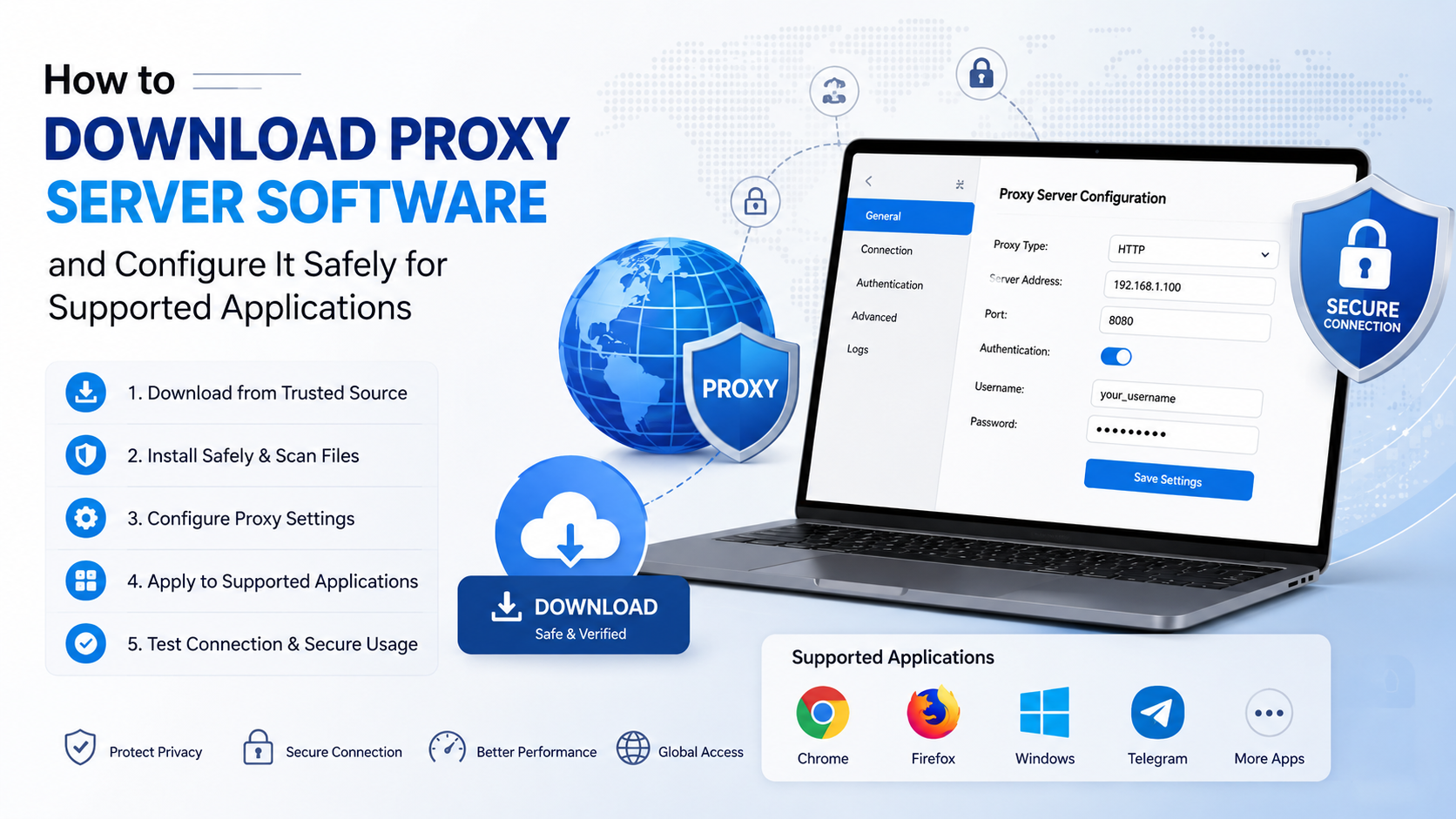
How to Download Proxy Server Software and Configure It Safely for Supported Applications
A proxy server sits between your device and the internet. When you search for “how to download proxy server”, you may actually need one of three things: a proxy subscription, a proxy configuration file, or an application that connects supported apps to a proxy.
The safest approach is to obtain proxy details or client software from a reputable provider, verify the download source, and configure only the applications that need it. A proxy is not automatically private or secure, and a free public proxy may expose your traffic or credentials.
Key Takeaways
- A proxy server is normally accessed through an address, port, PAC file or client app—not downloaded as a single universal file.
- Download proxy software only from the provider’s official website or a trusted app store.
- Windows supports automatic detection, PAC setup scripts and manual proxy settings.
- Android and iPhone proxy settings generally apply to a selected Wi-Fi network; individual app support varies.
- Chrome commonly follows operating-system proxy settings, while Firefox has its own connection settings.
- Test the connection, use HTTPS websites, and disable the proxy if it causes errors or unexpected traffic.
What You Need Before Downloading a Proxy
Before installing anything, identify the proxy type and obtain the exact connection information from your organisation or provider.
| Requirement | What it means |
|---|---|
| Hostname or IP address | The proxy server’s network address |
| Port | The numbered gateway used by the proxy |
| Protocol | Usually HTTP, HTTPS or SOCKS5 |
| Username and password | Credentials for an authenticated proxy |
| PAC URL | A Proxy Auto-Configuration script that selects routes automatically |
| Bypass list | Addresses that should connect directly |
| Supported applications | Browsers, download tools, games or business software that can use the proxy |
A provider may give you a configuration URL instead of an installer. In that case, you do not need to download a “proxy server” program. You only need to enter the details in the application or operating system.
A proxy provider’s client may also create a local connection profile. Download the installer only from the provider’s verified domain, and check that the file is intended for your operating system.
How to Download Proxy Software Safely
Follow these steps before configuring a proxy:
- Choose a legitimate provider or obtain details from your IT administrator.
Avoid lists of open proxies posted on forums or unknown websites. CERT-In warns that open proxy servers in India are frequently misused to route malicious traffic and launch attacks. See the CERT-In open proxy statistics page.
- Use the official download page or app store.
For Android, use Google Play where a provider has an official app. On iPhone or iPad, use the App Store. For Windows, macOS and Linux, use the provider’s signed installer or documented package repository.
- Check the publisher name and website address.
Look for HTTPS, a matching company name, privacy policy and support documentation. Be careful with sponsored search results that imitate a provider’s domain.
- Avoid modified APKs, cracks and “premium proxy” bundles.
These can contain spyware, aggressive advertising or credential stealers. Never disable antivirus or Android security controls merely to install a proxy client.
- Scan and verify the file.
Keep your operating system and security software updated. If the provider publishes a checksum or digital signature, compare it before installation. No scan can prove that a file is completely risk-free, so source and publisher verification remain important.
- Read the privacy and logging terms.
A proxy operator can potentially see connection metadata and, depending on the protocol and website, parts of your traffic. Do not send banking passwords or other sensitive information through an unknown proxy.
Configure a Proxy on Windows 10 or Windows 11
Microsoft documents three Windows methods: automatic detection, a setup script and manual configuration. Open Settings > Network & internet > Proxy. The official Microsoft instructions apply to Windows 10 and Windows 11.
Automatic detection
Under Automatic proxy setup, turn on Automatically detect settings. This is common on company, school and managed networks using automatic discovery.
PAC setup script
If your organisation supplies a PAC address:
- Select Set up beside Use setup script.
- Turn on Use setup script.
- Enter the script address.
- Select Save.
Use a PAC URL only when it comes from a trusted administrator or provider. A malicious script can redirect traffic through an attacker-controlled server.
Manual setup
- Select Set up beside Manual proxy setup.
- Turn on Use a proxy server.
- Enter the proxy IP address or hostname.
- Enter the supplied port.
- Add exceptions, such as internal websites, if required.
- Select Save.
If the proxy requires authentication, Windows or the application may ask for a username and password when you connect. Do not save credentials on a shared computer.
Important Windows limitation
System proxy settings do not guarantee that every application will use the proxy. Some games, launchers, command-line tools and Microsoft Store applications have their own network configuration or do not support proxies. Configure the application separately when its documentation provides a proxy option.
Configure a Proxy on Android
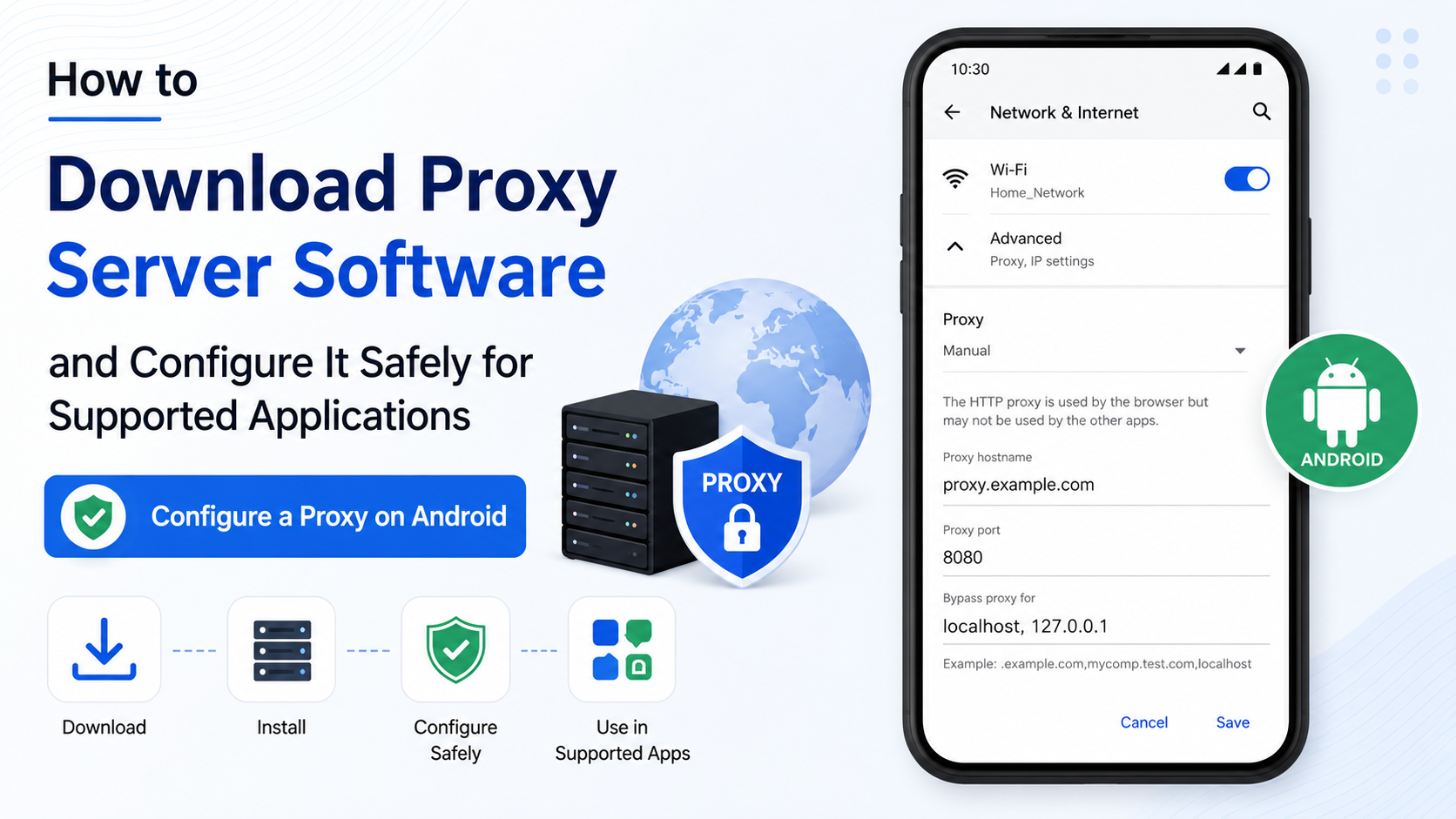
Android’s menu names differ between Samsung, Xiaomi, OnePlus, Motorola and other devices. On many current Android versions, the general path is:
- Open Settings.
- Tap Network & internet or Connections.
- Tap Internet or Wi-Fi.
- Select the connected Wi-Fi network.
- Tap Edit, Network details or the pencil icon.
- Open Advanced options.
- Set Proxy to Manual or Proxy Auto-Config.
- Enter the hostname, port or PAC URL.
- Tap Save.
Google’s Android Help documentation notes that some steps vary by Android version and device manufacturer.
Android’s built-in proxy setting generally applies to that Wi-Fi connection. It may not route mobile-data traffic, and many apps ignore system proxy settings. A game or streaming app may require an in-app proxy field, a provider client or a managed VPN-style profile. Do not install an APK that claims to “enable system-wide proxy” unless its publisher and permissions are trustworthy.
Configure a Proxy on iPhone or iPad
For a normal Wi-Fi connection:
- Open Settings > Wi-Fi.
- Tap the information button beside the connected network.
- Scroll to HTTP Proxy.
- Choose Off, Manual or Auto.
- For Manual, enter the server and port, then add authentication if supplied.
- For Auto, enter the PAC URL.
- Return to the previous screen and test the connection.
The setting is normally specific to that Wi-Fi network. It does not mean that every app will honour the proxy. Apple’s global HTTP proxy feature is primarily intended for managed or supervised devices; Apple documents that global proxy deployment on iPhone and iPad requires supervision.
If an app needs a proxy but does not support iOS Wi-Fi proxy settings, use the app’s official network options or consult its developer. Avoid configuration profiles from unknown websites.
Configure a Proxy on macOS
On current macOS versions, open Apple menu > System Settings > Network, select Wi-Fi or Ethernet, choose Details, then open Proxies.
You can select:
- Auto Proxy Discovery, if your network provides automatic settings
- Automatic Proxy Configuration, to enter a PAC URL
- Web Proxy (HTTP) or Secure Web Proxy (HTTPS), to enter a server and port
- SOCKS Proxy, when the application specifically requires SOCKS
Enable only the protocols supplied by your provider. A proxy configured for HTTP may not work for all HTTPS, WebSocket or game traffic.
Configure a Proxy on Linux
Linux configuration depends on the desktop environment and the application. In Ubuntu and other distributions, common options include:
- Desktop Network > Network Proxy settings
- Environment variables such as
HTTP_PROXY,HTTPS_PROXYandNO_PROXY - Application-specific settings
- Package-manager settings for tools such as APT
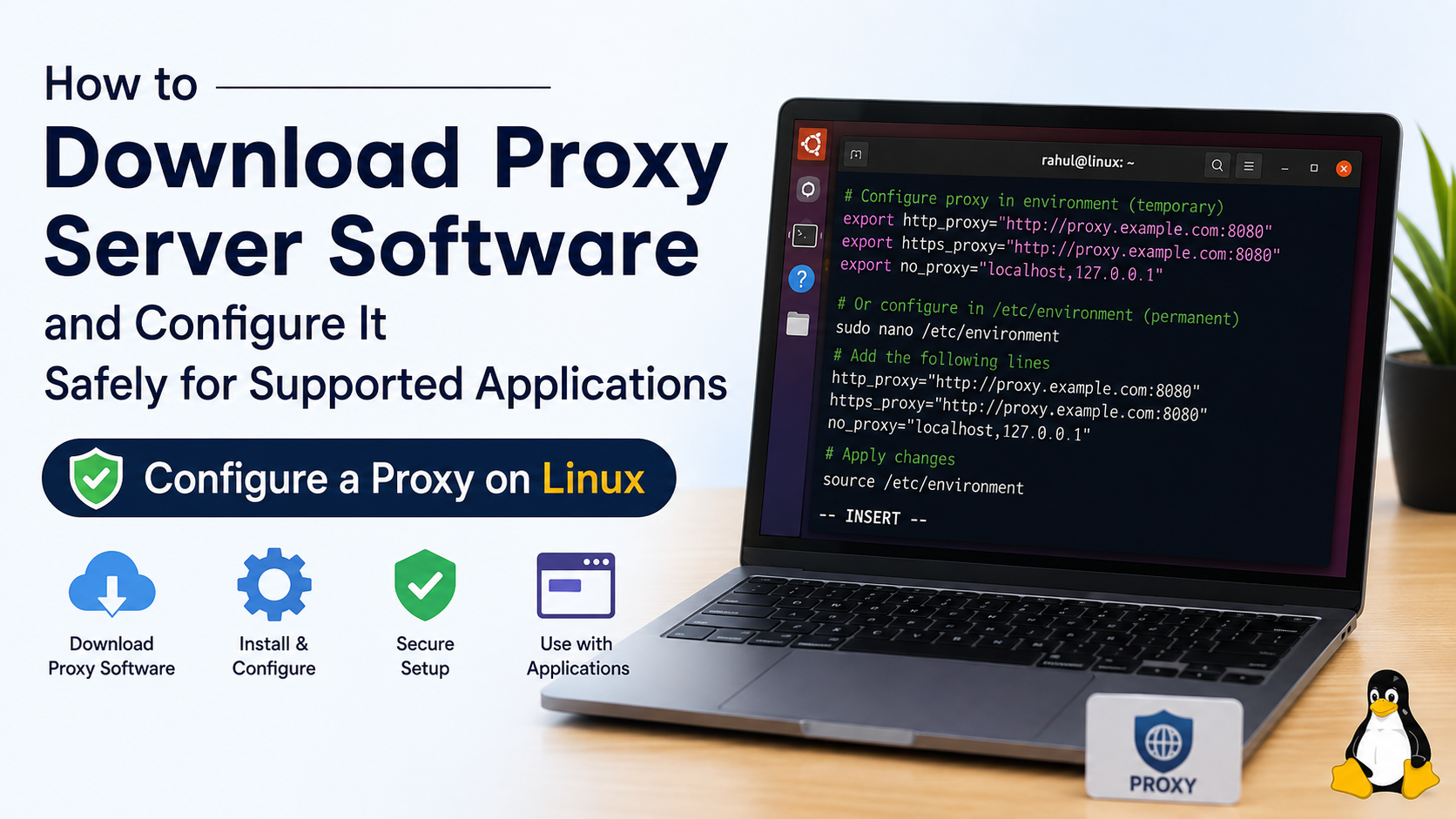
Canonical documents proxy variables and HTTP, HTTPS and SOCKS5 options for Ubuntu services in its proxy configuration guide. For a temporary terminal session, a format such as the following may be used:
export HTTP_PROXY="http://proxy.example.com:8080"
export HTTPS_PROXY="http://proxy.example.com:8080"
export NO_PROXY="localhost,127.0.0.1"
Replace the example address with the values supplied by your administrator. Avoid placing passwords directly in shell history or shared configuration files.
Configure Supported Applications
Chrome and Chromium-based browsers
Chrome generally uses the operating system’s proxy settings. Chromium’s proxy documentation explains support for system settings, PAC scripts and proxy identifiers such as http://host:port and socks5://host:port.
If Chrome does not connect through the proxy:
- Confirm Windows or macOS proxy settings.
- Check whether a work or school policy controls the browser.
- Disable conflicting proxy extensions.
- Restart Chrome after changing settings.
- Remember that some HTTPS proxy arrangements require a PAC script or browser policy.
Firefox
Firefox can use system settings or its own configuration. Open Menu > Settings > General, scroll to Network Settings, select Settings, then choose:
- No proxy
- Auto-detect proxy settings
- Use system proxy settings
- Manual proxy configuration
- Automatic proxy configuration URL
Mozilla’s Firefox connection settings guide describes these choices. Firefox’s separate settings can be useful when you want browser traffic proxied while other applications connect directly.
Games, download tools and business applications
Look in the application’s Network, Connection, Advanced or Launcher settings. Some programs accept an HTTP proxy but not SOCKS5; others support only a PAC file or do not support proxies at all. A proxy can increase latency, break matchmaking, interfere with updates or trigger fraud checks. Never use a proxy to evade a service’s terms, licensing restrictions or access controls.
Test the Proxy After Setup
Use a low-risk test first:
- Open a normal HTTPS website.
- Check whether the application reaches its intended server.
- Sign out and disable the proxy if pages show certificate warnings.
- Compare performance with the proxy switched off.
- Test DNS-sensitive services only if your provider explains how name resolution works.
A successful connection does not prove that the proxy is private. HTTPS protects the connection between your browser and a website, but the proxy can still observe connection details. A VPN is a different technology: Microsoft notes that VPN connections generally provide more comprehensive protection than a proxy in its Windows guidance.
Common Proxy Problems and Fixes
“Proxy server refused connection”
Check the hostname, port, protocol and account status. Confirm that the provider has allowed your IP address, if IP allowlisting is required.
Websites load but the app does not
The app may ignore system settings or require SOCKS5 instead of HTTP. Look for an application-specific configuration page.
Only some websites work
Review the PAC script and bypass list. Incorrect wildcard entries can send selected domains directly.
Authentication keeps appearing
Re-enter the username and password, check for expired credentials and ensure special characters are entered correctly.
Internet stops when the proxy is enabled
Turn the proxy off, reconnect to Wi-Fi and contact the provider. Do not leave an unreachable proxy enabled indefinitely.
Certificate or TLS warnings appear
Stop using the proxy until the cause is understood. Never install a third-party root certificate simply to remove a warning unless it is issued by a trusted organisation that manages the device.
Frequently Asked Questions
Can I download a proxy server for free?
You can find free proxy software and public proxy lists, but they carry significant reliability and privacy risks. A safer option is an organisation-provided proxy or a reputable provider with clear ownership, support and privacy terms.
Is a proxy the same as a VPN?
No. A proxy usually handles selected application traffic, while a VPN commonly creates an encrypted tunnel for broader device traffic. Neither should be treated as anonymous by default.
Why does my proxy work in Firefox but not Chrome?
Firefox can use independent connection settings. Chrome commonly follows the operating system, an administrator policy, PAC rules or extensions. Check those layers for conflicting settings.
Can I use a proxy on mobile data?
Android and iPhone Wi-Fi proxy fields normally apply to the selected Wi-Fi network. Mobile-data routing requires an application that supports it or a provider-managed profile, where available.
What is a PAC file?
A PAC file is a script that tells an application which proxy to use for each web address and when to connect directly. Use PAC files only from trusted sources.
Should I use a proxy for banking in India?
Avoid unknown proxies for banking, UPI, tax portals and other sensitive services. Use the service’s official app or website, HTTPS, multi-factor authentication and a trusted network.
How do I remove proxy settings?
Set the device or application to Off, No proxy or Use system settings, remove any PAC URL, save the change and restart the application. Also check for installed proxy extensions or management profiles.
Is using a proxy legal in India?
Using a proxy for legitimate administration, testing or workplace access is different from using it to commit fraud, bypass lawful restrictions or violate a service’s terms. Follow Indian law and the rules of the network or platform you use.