How to Download WhatsApp When It Is Not Available in Your App Store
If you are searching for how to download WhatsApp when it is not available in your app store, first identify why it is missing. The app may be hidden because of a country or account-region setting, an incompatible phone, parental controls, an outdated operating system, or a temporary store problem.
The safest approach is to use the official WhatsApp website or an authorised app store. Avoid modified apps such as GB WhatsApp and unknown APK websites.
Key Takeaways
- Android users can install WhatsApp from Google Play or the official WhatsApp Android download page.
- iPhone users should use the Apple App Store; iOS does not support ordinary APK-style sideloading.
- Check your country, Google or Apple account, device compatibility, storage and parental-control settings.
- WhatsApp’s published minimum requirements can change, so check its supported operating systems guidance.
- Never install WhatsApp Plus, GB WhatsApp or APK files from unofficial websites.
- If the app is unavailable in your region, WhatsApp Web may provide temporary access on a computer.
Why WhatsApp May Not Appear in Your App Store

WhatsApp is listed on Google Play in India as “WhatsApp Messenger” by WhatsApp LLC. The official listing describes it as a free messaging and calling app and shows the developer as WhatsApp LLC. You can open the listing directly on Google Play.
If you cannot find it, one of these causes is likely:
- Country or region settings: Your Google Play or Apple Account may be registered to a country where WhatsApp is restricted or unavailable.
- Device incompatibility: The phone may run an operating-system version that WhatsApp no longer supports.
- Store account problems: You may be signed out, using a supervised account, or viewing a managed device.
- Parental controls: Age or content restrictions can hide messaging apps.
- Temporary store error: A weak connection, corrupted cache or a Play Store/App Store outage can prevent search results from loading.
- Insufficient storage: The listing may appear, but installation can fail if the phone is nearly full.
Method 1: Install WhatsApp on Android From Google Play
This is the preferred method for most Indian Android users.
- Open the Google Play Store.
- Search for WhatsApp Messenger.
- Confirm that the publisher is WhatsApp LLC.
- Tap Install.
- After installation, open WhatsApp.
- Enter your Indian mobile number, including the correct country code (+91), and complete SMS or phone-call verification.
- If you have an existing backup, follow the prompts to restore it.
Do not download an app merely because its name contains “WhatsApp”. Check the publisher, logo, reviews and permissions before installing.
Method 2: Download the Official WhatsApp APK
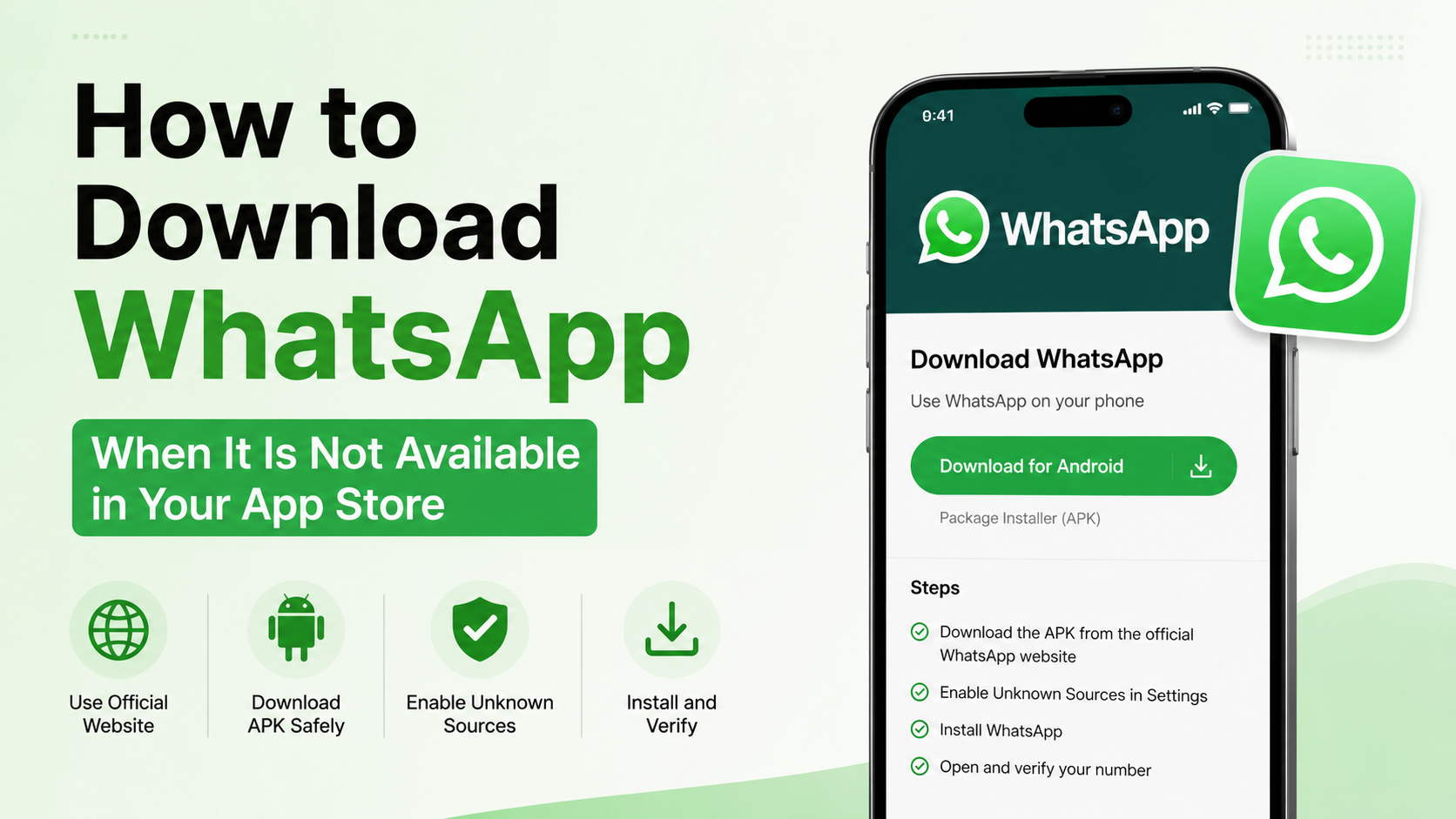
An APK is an Android application package. WhatsApp provides a direct Android installer for users who cannot use Google Play, including some phones without Google services.
- On your Android phone, open a browser.
- Go to the official page: whatsapp.com/android.
- Select the download option for the Android package.
- Wait for the APK to finish downloading.
- Open the downloaded file from your browser or the Downloads folder.
- If Android asks for permission, allow your browser or file manager to install an unknown app temporarily.
- Tap Install, then disable that permission again after installation.
- Open WhatsApp and verify your phone number.
Download the file only from a domain ending in whatsapp.com. Do not use APK aggregators, Telegram links, shortened URLs or “premium WhatsApp” installers. Unofficial packages may contain spyware, altered code or account-stealing features, and WhatsApp may restrict accounts using modified clients.
Installing the official APK does not bypass an unsupported operating system. If your phone is too old, the installer may refuse to run or WhatsApp may stop working after verification.
Method 3: Fix WhatsApp Missing From Google Play
Try these checks before sideloading an APK.
Check your Play country
Open Play Store → profile picture → Settings → General → Account and device preferences → Country and profiles. Your country must match your actual location and payment profile. Google limits how often the country can be changed, so do not switch regions casually.
Clear Play Store cache
Go to Settings → Apps → Google Play Store → Storage and cache, then tap Clear cache. Restart the phone and search again. You can also update Google Play Services and install pending Android system updates.
Check parental controls
In Play Store, open Settings → Family → Parental controls. A restricted age rating can hide WhatsApp. On a school- or employer-managed phone, only the administrator may be able to change this.
Check compatibility and storage
Open Settings → About phone to see your Android version. Free several hundred megabytes of storage, restart the device and try again. WhatsApp’s requirements change over time; consult its Help Center instead of relying on old blog posts.
Method 4: Install WhatsApp on an iPhone or iPad
iPhone users should install WhatsApp through the App Store.
- Open the App Store.
- Tap Search and enter WhatsApp Messenger.
- Confirm the developer is WhatsApp Inc. or WhatsApp’s current App Store publisher information.
- Tap Get and authenticate with Face ID, Touch ID or your Apple Account password.
- Open WhatsApp and complete phone-number verification.
Apple states that app availability can vary by country or region. Its App Store guidance also requires an internet connection and an Apple Account.
If WhatsApp does not appear:
- Check Settings → [your name] → Media & Purchases → View Account → Country/Region.
- Verify that Screen Time restrictions are not blocking app installation.
- Update iOS if an update is available.
- Check Apple’s media-services availability page.
- Avoid websites offering “WhatsApp IPA” files or iPhone configuration profiles. They are not the normal official installation route and can compromise your device or account.
Changing your Apple Account country may affect subscriptions, payment methods, store credit and previously purchased content. Do it only when your real country and account information support the change.
What If Your Phone Is Too Old?
If the store says WhatsApp is incompatible, downloading an older version is usually not a reliable solution. Older builds may lack security fixes, fail phone-number verification or stop connecting to WhatsApp’s servers.
First:
- Install the latest Android or iOS update available for your phone.
- Restart the device.
- Check WhatsApp’s current supported-operating-system information.
- Back up chats before uninstalling WhatsApp.
- If the phone cannot meet the minimum requirement, use WhatsApp on a newer supported phone.
WhatsApp Web can help you access conversations from a computer, but it normally requires linking the browser to an active WhatsApp account on a phone.
Troubleshooting Common Installation Errors
“This item isn’t available in your country”
Confirm your store country and physical location. Do not use a VPN to pretend to be in another country; it may not change account eligibility and can create payment or verification problems. If the restriction is genuine, contact WhatsApp Support or your app-store provider.
“App not installed” on Android
Delete an incomplete download, free storage and restart the phone. If another WhatsApp build is installed, uninstalling it may remove local data, so create a chat backup first. Do not install two packages with conflicting signatures.
Download is stuck or keeps failing
Switch between Wi-Fi and mobile data, disable aggressive data-saver settings temporarily, set the phone’s date and time automatically, and update Google Play Services. On iPhone, check available storage and Apple’s System Status page.
Verification code does not arrive
Use the correct +91 number, ensure the SIM can receive SMS and calls, and avoid repeatedly requesting codes. WhatsApp may impose a waiting period after many attempts. Never share a verification code with another person.
WhatsApp says you need the official app
Remove modified clients and install WhatsApp from Google Play or whatsapp.com/android. Modified versions can trigger security checks and may put your account at risk.
Official Download Methods Compared
| Method | Platform | Best use | Main caution |
|---|---|---|---|
| Google Play | Android | Normal installation and updates | Requires a working Google account and compatible device |
| WhatsApp website APK | Android | No Play Store or Play Store installation failure | Enable installation only for the browser you trust |
| Apple App Store | iPhone/iPad | Official iOS installation | Availability depends on Apple Account region and iOS support |
| WhatsApp Web | Computer | Temporary browser access | Requires linking to a phone account |
| Third-party APK or IPA site | Android/iPhone | Not recommended | Risk of malware, modified code and scams |
Protect Your Chats Before Reinstalling
Before removing WhatsApp:
- Android: open WhatsApp → Settings → Chats → Chat backup and run a backup to your Google Account.
- iPhone: open WhatsApp → Settings → Chats → Chat Backup and confirm an iCloud backup.
- Ensure you know the same phone number and account credentials needed to restore the backup.
- Do not delete the old installation until the backup finishes.
A backup made on one operating system may not restore directly to another without WhatsApp’s supported transfer process.
Frequently Asked Questions
Can I download WhatsApp without the Play Store?
Yes. On Android, use the official APK from whatsapp.com/android. This is safer than downloading from an unknown APK website.
Can I install WhatsApp on an iPhone without the App Store?
For ordinary users in India, the App Store is the standard official method. Do not install random IPA files or configuration profiles advertised as WhatsApp installers.
Is WhatsApp free to download in India?
The official WhatsApp mobile app is free to download. Mobile-data charges may still apply, depending on your telecom plan.
Why is WhatsApp unavailable even though my friend can install it?
Your phone model, operating-system version, account region, parental controls or managed-device policy may differ from your friend’s settings.
Is GB WhatsApp safe?
GB WhatsApp and similar modified clients are not official WhatsApp applications. They can expose private data, contain malicious code and lead to account restrictions.
Will an old WhatsApp APK work on an unsupported phone?
There is no dependable guarantee. An old APK may fail installation, verification or server access, and it may lack important security updates.
What should I do if WhatsApp was removed from my regional store?
Check WhatsApp’s official download page, verify your store country and contact WhatsApp Support. Do not trust social-media links promising “unblocked” or “premium” versions.
Can I use WhatsApp Web if I cannot install the app?
Visit web.whatsapp.com on a computer. You generally need access to WhatsApp on a supported phone to link the browser session.