How and Where to Download Minecraft From Official Sources for Your Device
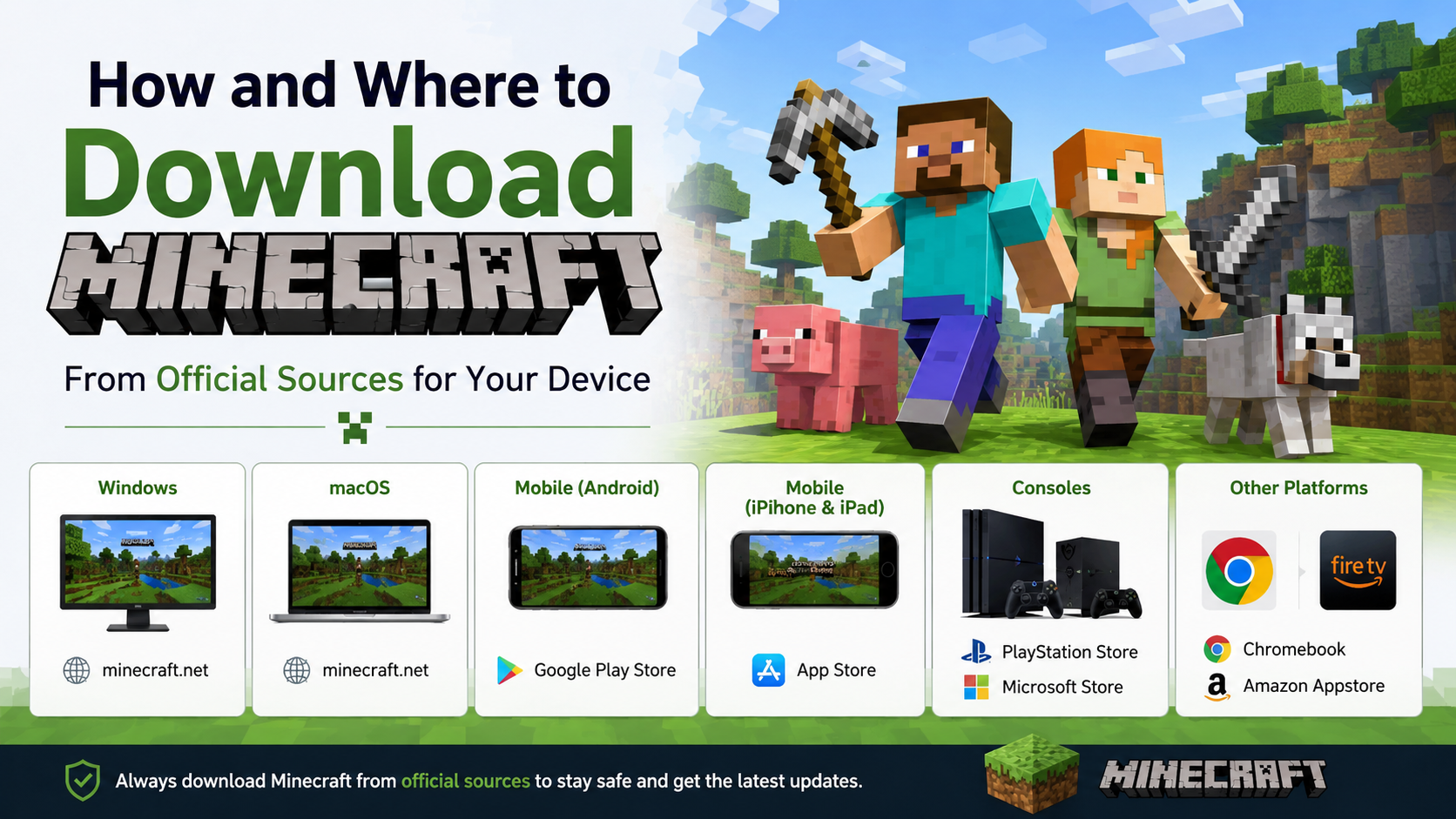
If you are searching for how and where to download Minecraft, use only Minecraft.net, the Microsoft Store/Xbox store, Google Play, Apple App Store or your console’s official store. Minecraft is a paid game in most editions, and unofficial APKs or “free full versions” can contain modified files, malware, scams or copyright-infringing copies.
The correct download depends on your device. Android and iPhone use the mobile Bedrock Edition, Windows PCs can run both Java and Bedrock, while macOS and Linux officially support Java Edition.
Key Takeaways
- Download the PC launcher from the official Minecraft download page.
- Install the Android version from Google Play and the iPhone/iPad version from the Indian App Store.
- Windows 10 and Windows 11 buyers generally receive Minecraft: Java & Bedrock Edition for PC.
- macOS and Linux support Minecraft: Java Edition through the official launcher.
- Sign in with the Microsoft account used for your purchase; the launcher itself does not mean the game is free.
- Avoid cracked launchers, Telegram links, “Minecraft APK” websites and modified installers.
Which Minecraft Edition Should You Download?

Minecraft has two main editions:
| Edition | Official platforms | Best suited for |
|---|---|---|
| Java Edition | Windows, macOS and Linux | PC players, mods and Java multiplayer servers |
| Bedrock Edition (Minecraft for Windows/mobile) | Windows 10/11, Android, iOS, Xbox, PlayStation and Nintendo Switch | Cross-play with mobile and consoles |
The official Minecraft edition comparison explains that Java and Bedrock are different versions. Java worlds and Bedrock worlds are not automatically interchangeable.
If you use a Windows PC, the standard Minecraft: Java & Bedrock Edition for PC package includes both games. The Minecraft Launcher is the hub used to install and start them. On a Mac or Linux computer, download the launcher for your operating system and use Java Edition.
For Android and iPhone, the app is Bedrock Edition. It can play with compatible Bedrock players on Windows and consoles, but it cannot join a Java server simply because both games are called Minecraft.
How to Download Minecraft on Windows 10 or 11
The safest method is through Minecraft.net or the Microsoft Store.
Method 1: Official Minecraft website
- Open minecraft.net/download in a browser.
- Select Download the Launcher.
- Install the launcher for Windows.
- Open it and sign in with a Microsoft account.
- If you already own Minecraft, the available edition should appear in the launcher.
- If you do not own it, select the purchase option and complete payment through the official Microsoft/Xbox checkout.
- Choose Minecraft: Java Edition or Minecraft for Windows and select Install or Play.
Method 2: Microsoft Store or Xbox app
- Open the Microsoft Store on Windows.
- Search for Minecraft Launcher and confirm that it is published by Microsoft/Mojang.
- Select Get or Install.
- Sign in using the Microsoft account connected to your Minecraft licence.
- Open the launcher and install the edition included with your purchase.
The launcher download may be free, but access to the full game normally requires a purchase or an eligible subscription. The Indian Microsoft/Xbox listing shows the price in rupees, but prices, bundles, taxes and promotions can change; rely on the amount displayed at checkout rather than an old screenshot.
How to Download Minecraft on Android in India
The official Android app is listed on Google Play as Minecraft: Dream it, Build it! by Mojang.
- Open the Minecraft Google Play listing.
- Check that the developer is Mojang or Mojang Studios.
- Review the device compatibility message shown for your phone or tablet.
- Tap the displayed price or Install button.
- Complete payment using an accepted Google Play method.
- Wait for the installation to finish, then tap Open.
- Sign in with a Microsoft account if the game requests it for multiplayer, purchases or cloud-connected features.
Google Play determines compatibility based on your Android version, hardware and region. If the listing says that your device is not compatible, do not download an APK from another website. An APK may be old, altered or unsafe, and it may not receive updates correctly.
The Play Store price in India can change because of promotions, taxes or regional pricing. Check the current amount shown in your own Google account before paying.
How to Download Minecraft on iPhone or iPad
For Apple devices, use the Indian App Store listing published by Mojang.
- Open the Minecraft listing on the India App Store.
- Confirm the developer is Mojang.
- Check the listed iPhone or iPad compatibility and required iOS/iPadOS version.
- Tap the price, authenticate with Face ID, Touch ID or your Apple ID password, and confirm the purchase.
- Tap Get or the download icon if you have previously purchased the app.
- Launch Minecraft after installation and sign in when prompted.
The base app and optional purchases such as Minecoins, Marketplace content and Realms are separate. Turn on purchase verification in your Apple or Google account if children use the device.
How to Download Minecraft on macOS
Minecraft: Java Edition is the official desktop version for Mac.
- Go to Minecraft.net/download.
- Select the Mac launcher download.
- Open the downloaded installer and follow macOS instructions.
- Start Minecraft Launcher.
- Sign in with the Microsoft account that owns Minecraft.
- Select Java Edition, choose the desired release, and click Install or Play.
Before buying, read the current Java Edition system requirements. Mojang’s requirements can change as graphics technology and operating-system support are updated. Older Intel Macs or integrated graphics may launch the game but may not deliver reliable performance.
There is no official Bedrock Edition for macOS in the normal consumer Minecraft launcher. If you specifically need Bedrock cross-play, use a supported Windows, mobile or console device.
How to Download Minecraft on Linux
Linux users should also download Java Edition from the official Minecraft page.
- Open Minecraft.net/download.
- Choose the package matching your distribution, such as Debian-based, Arch-based or another Linux distribution.
- Install the package using your distribution’s normal software tools.
- Launch Minecraft Launcher and sign in with your Microsoft account.
- Install and start Java Edition.
Use the official package for your distribution where available. Avoid random scripts that ask for administrator access or download a launcher from an unknown domain. Linux performance depends heavily on graphics drivers, Vulkan/OpenGL support and desktop configuration, so consult the current requirements before troubleshooting the game itself.
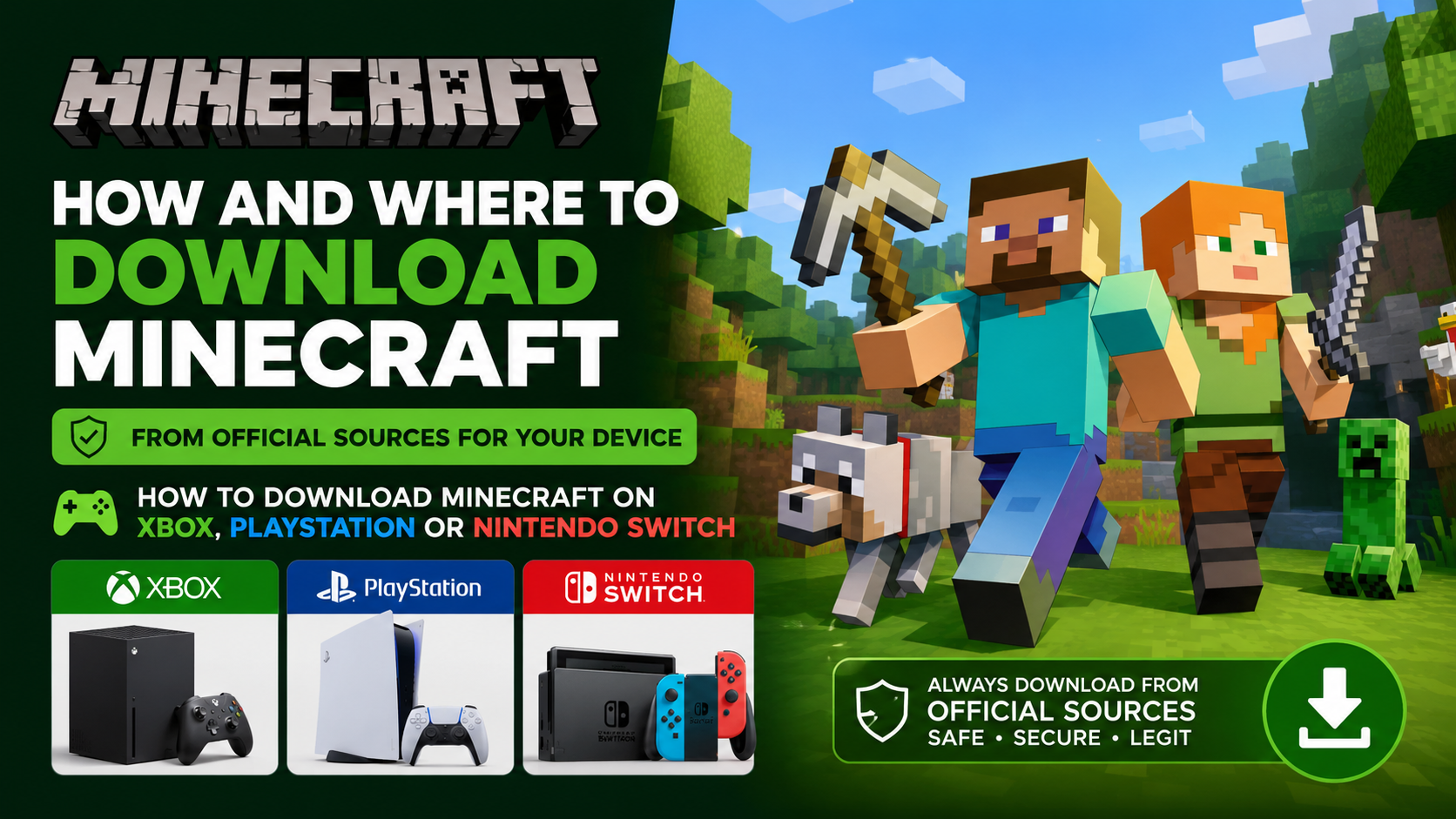
How to Download Minecraft on Xbox, PlayStation or Nintendo Switch
Console downloads must be made through the console’s own store:
- Xbox: Microsoft Store on the console
- PlayStation: PlayStation Store
- Nintendo Switch: Nintendo eShop
Search for Minecraft, verify the publisher, purchase the edition shown for your console and select Download. Console multiplayer may require the platform’s online subscription. That subscription is separate from Minecraft, and Realms is a separate Minecraft service.
Do not download a PC launcher on a console. The launcher download from Minecraft.net is intended for computers.
Minecraft System Requirements and Compatibility
Requirements vary by edition and change over time. Mojang’s July 2026 Java guidance describes a 64-bit system, a four-core processor, Vulkan 1.3-capable graphics hardware and at least 8 GB of RAM with a discrete GPU—or 12 GB with integrated graphics—for its updated minimum target. The recommended target is 16 GB of RAM and stronger graphics hardware for 1080p at 60 frames per second. See the official requirements article before purchasing or upgrading a PC.
For phones and tablets, the store listing is the practical compatibility check. Keep enough free storage for the app, updates and saved worlds. A slow or nearly full device can cause installation failures even when the operating system is supported.
Why You Should Avoid Minecraft APKs and Cracked Launchers
Search results often advertise “Minecraft free download,” “Minecraft latest APK” or “Minecraft without login.” These are not official distribution methods.
Risks include:
- Malware, spyware or unwanted advertisements
- Stolen Microsoft, Google or Apple credentials
- Modified game files that cannot update normally
- Lost worlds or corrupted saves
- Fake payment pages and subscription scams
- Copyright and account-enforcement problems
- Inability to join official services or multiplayer servers
A legitimate download should come from a domain or store controlled by Microsoft, Mojang, Google, Apple, Sony, Nintendo or Xbox. Never disable Android security settings or macOS protections merely to install a game.
Troubleshooting Common Download Problems
“Minecraft is not showing after I paid”
Check that you are signed in to the same Microsoft, Google or Apple account used for the purchase. On PC, restart the launcher and use its account settings to sign out and back in. On mobile, open the store’s purchase history and confirm the transaction completed.
The launcher will not install on Windows
Install pending Windows updates, restart the computer and try the Microsoft Store version. Temporarily check whether security software or a workplace/school policy is blocking Store installations. Download only from Minecraft.net or Microsoft.
Google Play says the device is incompatible
Update Android and Google Play services, check available storage and review the device requirements shown on the listing. Do not bypass the message with an unknown APK; the incompatibility may involve graphics hardware, not just Android version.
The iPhone download is unavailable
Confirm that your Apple ID region is India, that you have enough storage and that Screen Time restrictions are not blocking purchases. If you previously bought Minecraft, use the App Store account’s purchased items to restore it.
Minecraft installs but runs poorly
Close background apps, update graphics drivers on PC and reduce render distance or visual settings. Java Edition is especially sensitive to processor, memory and graphics-driver performance. Check Mojang’s current requirements before assuming the download is defective.
Frequently Asked Questions
Is Minecraft free to download?
The launcher can be downloaded free, but the full Minecraft game generally requires purchase. Mobile stores and the Microsoft Store display the current Indian price before payment. Free trials may be offered on selected platforms, but a trial is not the full game.
Can I download Minecraft Java Edition on Android?
No. Java Edition is officially for Windows, macOS and Linux. Android uses Minecraft Bedrock Edition through Google Play.
Can I download Minecraft Bedrock on a Mac?
The standard consumer Bedrock Edition is not officially offered for macOS. Mac users normally download Java Edition.
Do I need a Microsoft account?
A Microsoft account is used for the modern Minecraft PC experience and many online features. Use the same account across devices when you want purchases and entitlements associated with that account.
Can I use one purchase on every device?
A purchase is normally tied to the platform store or account where it was made. A PC purchase does not automatically provide the mobile app, and a mobile purchase does not unlock the PC editions. Check the store and account terms before buying.
Is Minecraft Launcher the game?
No. Minecraft Launcher is the PC application used to install and start Minecraft games. You still need a valid licence, purchase or eligible subscription for the game edition you want to play.
Where should I download Minecraft updates?
Use the launcher on PC, Google Play on Android, the App Store on iPhone/iPad and the relevant console store. Official stores handle updates and reduce the risk of installing altered files.
What is the safest way to download Minecraft in India?
Use Minecraft.net/download for PC, the official Google Play listing for Android, the Indian App Store listing for iPhone/iPad, and your console’s built-in store for Xbox, PlayStation or Nintendo Switch.