

How Long Does It Take to Download? Calculate Download Time From File Size and Speed
How long does it take to download a file? It depends mainly on the file size and your actual download speed. Use this formula:
Download time in seconds = File size in bits ÷ Download speed in bits per second
For example, a 1 GB file on a 100 Mbps connection takes approximately 80 seconds, or 1 minute 20 seconds, under ideal conditions. Real downloads usually take longer because of Wi-Fi interference, network congestion, server limits and protocol overhead.
This guide explains how to calculate download time for apps, games, videos, PDFs, software installers and other files.
Key Takeaways
- Convert file size from bytes to bits before using internet speed in Mbps.
- The quickest shortcut is: time in seconds = file size in megabytes × 8 ÷ speed in Mbps.
- A 1 GB file takes about 13 minutes 20 seconds at 10 Mbps and 1 minute 20 seconds at 100 Mbps.
- Mbps and MB/s are different: 8 Mbps equals approximately 1 MB/s.
- Advertised internet speed is a maximum; actual download speed is often lower.
- Mobile data usage, storage space and battery life matter when downloading large files in India.
The Download-Time Formula
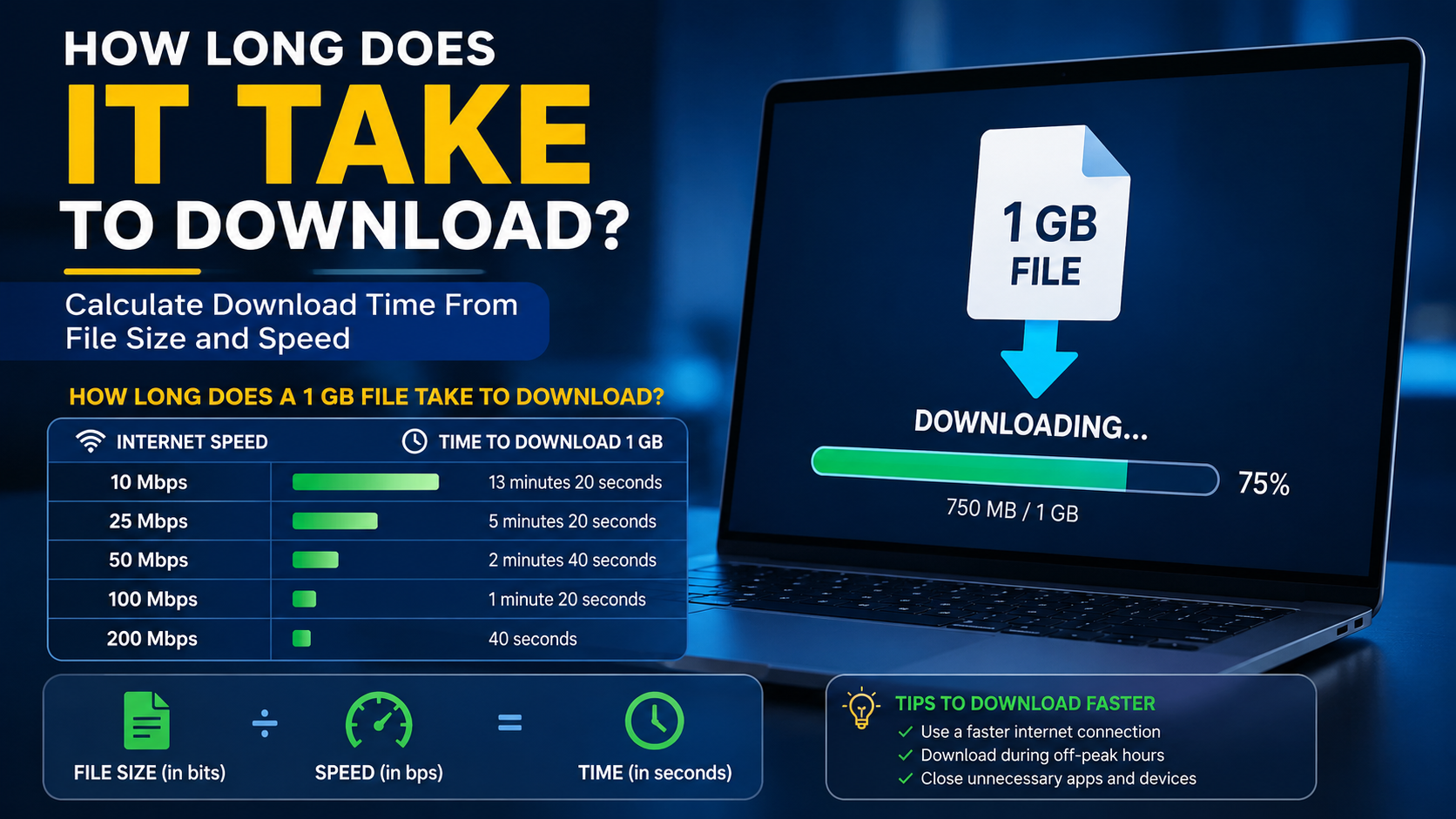
Internet providers usually advertise speed in megabits per second (Mbps). File managers, app stores and browsers normally show size in megabytes (MB) or gigabytes (GB).
A byte contains eight bits, so you must convert the file size before calculating.
Basic formula
Download time (seconds) =
File size (bytes) × 8 ÷ Download speed (bits per second)
If the file size is already in megabytes and the speed is in Mbps, use this simpler formula:
Time (seconds) = File size (MB) × 8 ÷ Speed (Mbps)For decimal gigabytes:
Time (seconds) = File size (GB) × 8,000 ÷ Speed (Mbps)This calculation gives a theoretical minimum. It assumes that your connection maintains its full speed and that the download server can supply data just as quickly.
Mbps vs MB/s: The Difference That Causes Confusion

The capital letter matters:
- Mbps means megabits per second.
- MB/s means megabytes per second.
- 1 byte = 8 bits.
- To convert Mbps to MB/s, divide by 8.
- To convert MB/s to Mbps, multiply by 8.
| Advertised speed | Approximate maximum shown in a downloader |
|---|---|
| 10 Mbps | 1.25 MB/s |
| 25 Mbps | 3.13 MB/s |
| 50 Mbps | 6.25 MB/s |
| 100 Mbps | 12.5 MB/s |
| 200 Mbps | 25 MB/s |
| 1 Gbps | 125 MB/s |
A 100 Mbps broadband plan will therefore not normally show 100 MB/s in Steam, Google Chrome or an Android download manager. A display near 10–12 MB/s can be consistent with a 100 Mbps connection.
How Long Does a 1 GB File Take to Download?
The following figures use a decimal gigabyte: 1 GB = 1,000 MB. They represent ideal conditions.
| Download speed | Approximate time for 1 GB |
|---|---|
| 5 Mbps | 26 minutes 40 seconds |
| 10 Mbps | 13 minutes 20 seconds |
| 25 Mbps | 5 minutes 20 seconds |
| 40 Mbps | 3 minutes 20 seconds |
| 50 Mbps | 2 minutes 40 seconds |
| 100 Mbps | 1 minute 20 seconds |
| 200 Mbps | 40 seconds |
| 500 Mbps | 16 seconds |
| 1,000 Mbps (1 Gbps) | 8 seconds |
For a different file size, multiply the time proportionally. A 5 GB file takes five times as long as a 1 GB file at the same speed.
Example: 5 GB game at 50 Mbps
5 × 8,000 ÷ 50 = 800 seconds800 seconds equals 13 minutes 20 seconds in ideal conditions.
Example: 700 MB video at 20 Mbps
700 × 8 ÷ 20 = 280 secondsThat is approximately 4 minutes 40 seconds.
Example: 2.5 GB software installer at 100 Mbps
2.5 × 8,000 ÷ 100 = 200 secondsThe theoretical time is 3 minutes 20 seconds.
Practical Download-Time Table
Actual speeds vary, but this table provides a useful planning estimate. The figures below show theoretical times; adding 10–30% is sensible for ordinary Wi-Fi or mobile connections.
| File size | 25 Mbps | 50 Mbps | 100 Mbps |
|---|---|---|---|
| 100 MB | 32 sec | 16 sec | 8 sec |
| 500 MB | 2 min 40 sec | 1 min 20 sec | 40 sec |
| 1 GB | 5 min 20 sec | 2 min 40 sec | 1 min 20 sec |
| 5 GB | 26 min 40 sec | 13 min 20 sec | 6 min 40 sec |
| 10 GB | 53 min 20 sec | 26 min 40 sec | 13 min 20 sec |
| 50 GB | 4 hr 26 min 40 sec | 2 hr 13 min 20 sec | 1 hr 6 min 40 sec |
A 50 GB game downloaded on a 100 Mbps plan may therefore take around one hour in perfect conditions, but longer if the server is busy or your Wi-Fi is weak.
Why the Real Download Takes Longer
The formula assumes a constant, maximum speed. Real downloads are affected by several factors:
Wi-Fi and mobile signal
Distance from the router, thick walls, interference and many connected devices can reduce throughput. 5G and 4G performance also changes with location, indoor coverage, tower load and spectrum availability.
Server and content-delivery limits
The website or app store may limit each connection. A fast Indian fibre plan cannot exceed the speed offered by a busy game server or mirror.
Network congestion
Evening usage, public Wi-Fi and crowded mobile cells can reduce speed. Speed-test results can also differ from the speed available from a particular download server.
Protocol overhead
Data packets include addressing, error checking and other control information. A small portion of the advertised bandwidth does not carry the file itself.
Device and storage performance
Older phones, full storage, slow hard drives, antivirus scanning or simultaneous installations can make a download appear slower. Game launchers may also download, unpack and verify files, so the installation can continue after the network transfer ends.
File-size conventions
Operating systems may use binary units such as GiB (1,073,741,824 bytes), while websites often use decimal GB (1,000,000,000 bytes). The difference is modest for small files but becomes noticeable for very large games and backups.
How to Estimate Your Own Download Time
Use these steps for any file:
- Find the exact file size. Check the download page, app store listing or launcher. Note whether it says KB, MB, GB, KiB, MiB or GiB.
- Measure your current speed. Run a reputable speed test close to the device and time of the planned download. Use the download result in Mbps, not the upload result.
- Convert units. If the file is in MB, multiply by 8. If it is in decimal GB, multiply by 8,000.
- Divide by speed. The result is seconds.
- Add a practical margin. Add 10–30% for a stable wired or strong Wi-Fi connection; add more if using congested mobile data.
- Check storage and data limits. Keep free space greater than the stated file size because installers and updates may need temporary storage.
For example, if a 3.2 GB Android game is downloaded at 40 Mbps:
3.2 × 8,000 ÷ 40 = 640 secondsThat equals 10 minutes 40 seconds theoretically. A realistic estimate might be 12–15 minutes.
India-Specific Planning Tips
India has a wide range of fibre, fixed-wireless, 4G and 5G experiences. DataReportal’s Digital 2025 India report, using Ookla data for January 2025, reported median download speeds of 100.78 Mbps for mobile connections and 63.55 Mbps for fixed connections; these are national medians, not a guarantee for every city, operator or household. See the Digital 2025 India report for methodology and limitations.
Before downloading a large file:
- Prefer home broadband or Wi-Fi for games, operating-system images and video files.
- Check whether your prepaid or postpaid mobile plan has a daily data allowance.
- Download large files when your local network is less congested.
- Keep the phone connected to a charger for long downloads.
- Use the official Play Store, App Store, Microsoft Store, Steam, Epic Games Store or the software publisher’s website.
- Avoid random APK sites and “cracked” software. Modified files can contain malware, unwanted permissions or fraudulent installers.
- Do not assume a paused download will restart from the same point; some servers support resume while others do not.
TRAI publishes telecom performance reports, but individual results depend on operator, plan, location and technology. Consult your provider’s current plan terms for data limits and speed policies.
What to Do When a Download Is Too Slow
If the displayed speed is far below your normal result, try the following:
- Pause other downloads, cloud backups, streaming and game updates.
- Move closer to the Wi-Fi router or switch from 2.4 GHz to 5 GHz when supported.
- Test with Ethernet on a computer to separate Wi-Fi problems from broadband problems.
- Restart the router and check for an operator outage.
- Try the publisher’s official alternate mirror or download region, if provided.
- Disable a VPN temporarily for testing, unless your organisation requires it.
- Confirm that the device has sufficient free storage.
- Check whether the launcher is verifying or unpacking files rather than transferring data.
- Retry later if only one website is slow; the server may be overloaded.
- Contact your internet provider if multiple services remain slow and speed tests consistently show a problem.
Do not install an unknown “download accelerator” merely because a file is slow. It may add security and privacy risks, and it cannot overcome a server-side limit.
Frequently Asked Questions
How long does it take to download 1 GB at 10 Mbps?
Under ideal conditions, about 13 minutes 20 seconds. In practice, allow roughly 15–18 minutes depending on Wi-Fi, congestion and the server.
How long does it take to download 10 GB at 100 Mbps?
The theoretical time is 13 minutes 20 seconds. A realistic time is often closer to 15 minutes or more.
Why is my 100 Mbps download showing only 12 MB/s?
Because Mbps and MB/s are different units. Dividing 100 Mbps by eight gives a theoretical maximum of 12.5 MB/s, before overhead and network losses.
Does 5G always download faster than Wi-Fi?
No. A strong 5G signal may be faster than a congested Wi-Fi connection, but a good fibre connection can be faster and more consistent than mobile data. Performance depends on signal, tower load, router quality and the download server.
Should I use the file size shown as GB or GiB?
Use the unit shown by the source. Decimal GB and binary GiB are not identical, so small differences between your estimate and the browser’s time remaining are normal.
Can I calculate download time from MB/s?
Yes. Use:
Time (seconds) = File size (MB) ÷ Download rate (MB/s)For example, 1,000 MB at 10 MB/s takes approximately 100 seconds.
Why does installation continue after the download reaches 100%?
Large apps and games often verify, decrypt, decompress or copy files after the network transfer is complete. This is installation time, not download time, and depends on the device’s processor and storage.


