How to Download Games That Are Free Safely Without Paying or Installing Malware
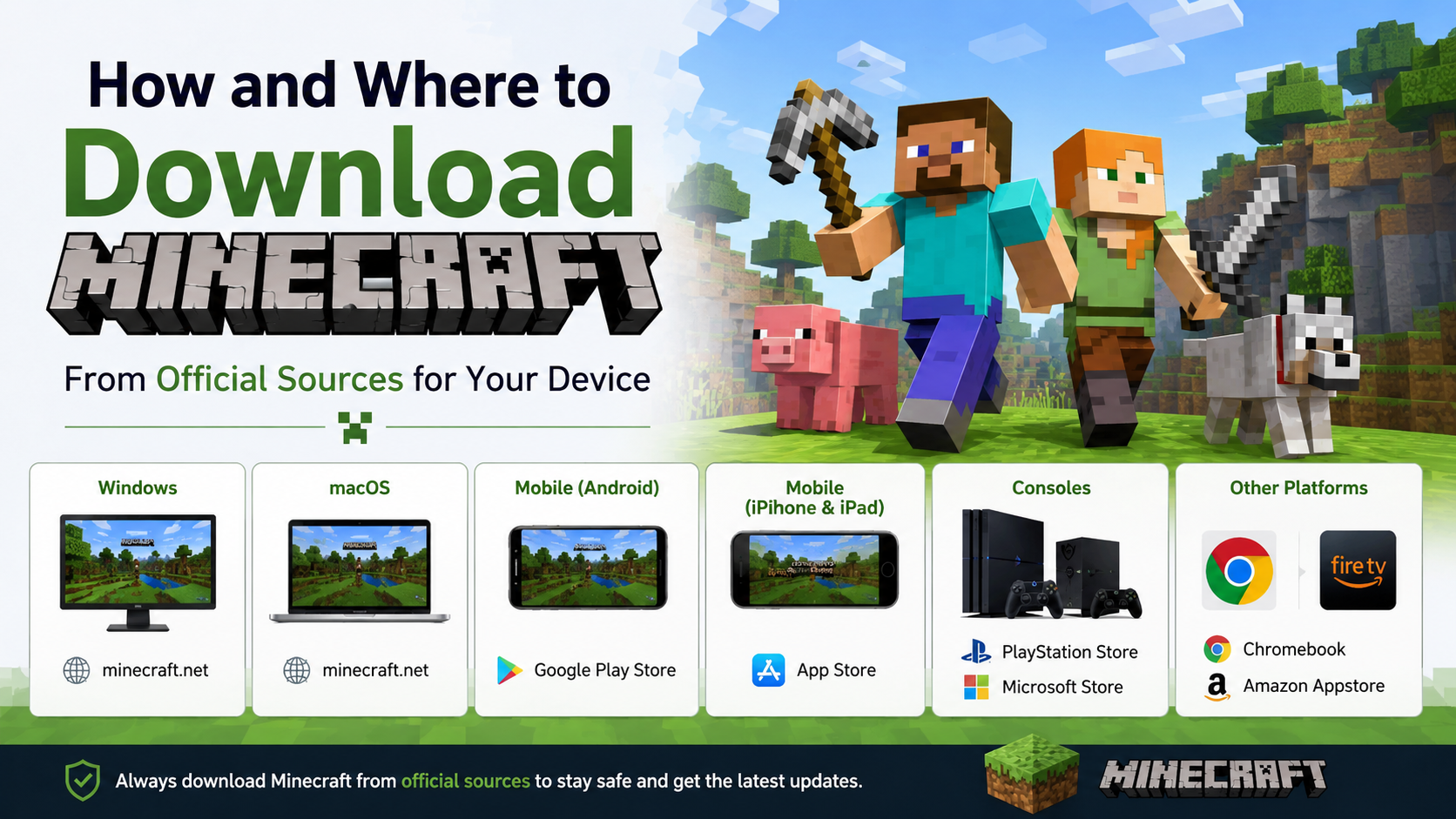
The safest way to download free games is to use the official store for your device or the game publisher’s official website. For Android, use Google Play; for iPhone and iPad, use the App Store; and for PC, use trusted stores such as Steam, Epic Games Store or Microsoft Store. Avoid “mod APK”, “cracked”, “unlimited money” and suspicious download sites—these files can be altered, illegal, or designed to steal data.
Key Takeaways
- “Free to play” does not always mean completely free: many games offer optional in-app purchases, ads or subscriptions.
- Official stores are safer because they provide account-based downloads, updates and publisher details.
- Never disable security protection merely to install a game.
- APKs and PC installers from unofficial sites can be modified to include malware.
- Check the developer name, permissions, reviews and storage requirements before installing.
- If a game seems to offer a paid title for free, treat it as a warning sign.
Choose a Legitimate Free Game Source First

A free download should come from a recognised platform, not from a search result claiming to offer a paid game “for free.” Legitimate sources clearly identify the developer, show the game’s price model, and provide updates through the same platform.
| Device | Safest download method | What to look for |
|---|---|---|
| Android | Google Play Store | “Install” button, known developer, ratings and permissions |
| iPhone/iPad | Apple App Store | “Get” button, developer details, age rating |
| Windows PC | Microsoft Store, Steam Free-to-Play, Epic Games Store | Official launcher or Microsoft Store installation |
| macOS | Mac App Store or the publisher’s official website | Apple developer identity or official publisher domain |
| Linux | Steam, itch.io, or the game developer’s official instructions | Correct Linux build and documented installation steps |
| Browser games | Established game publisher’s website | HTTPS address and no forced file download |
For PC players, Steam has a dedicated Free-to-Play category, while the Epic Games Store free-games page lists free-to-play titles and time-limited giveaways. Epic states that its giveaways change regularly, so claim a giveaway only through the official Epic Games Store page or launcher.
Understand What “Free” Actually Means
Before downloading, check which type of free game you are getting. This prevents surprise charges and helps you avoid misleading download pages.
| Type | Meaning | What to check |
|---|---|---|
| Free-to-play | Base game costs nothing to download | Optional cosmetics, battle passes, in-game currency |
| Free giveaway | Normally paid game offered at ₹0 for a limited period | Claim deadline and account requirement |
| Demo or trial | Limited part of a paid game | Time limit, level limit or feature restrictions |
| Open-source game | Software released under an open licence | Download only from the project’s official page |
| Ad-supported game | Free game funded by advertising | Ad frequency and privacy permissions |
| Subscription-included game | Available through a paid service | Subscription price after any trial period |
A game marked “Install,” “Get,” or “Free” can still contain in-app purchases. On Android and iPhone, review the store listing for purchase disclosures before installing. If you share a phone with children, enable purchase authentication so an accidental tap cannot charge your linked payment method.
How to Download Free Games Safely on Android

For most Android phones in India, Google Play Store is the shortest and safest route.
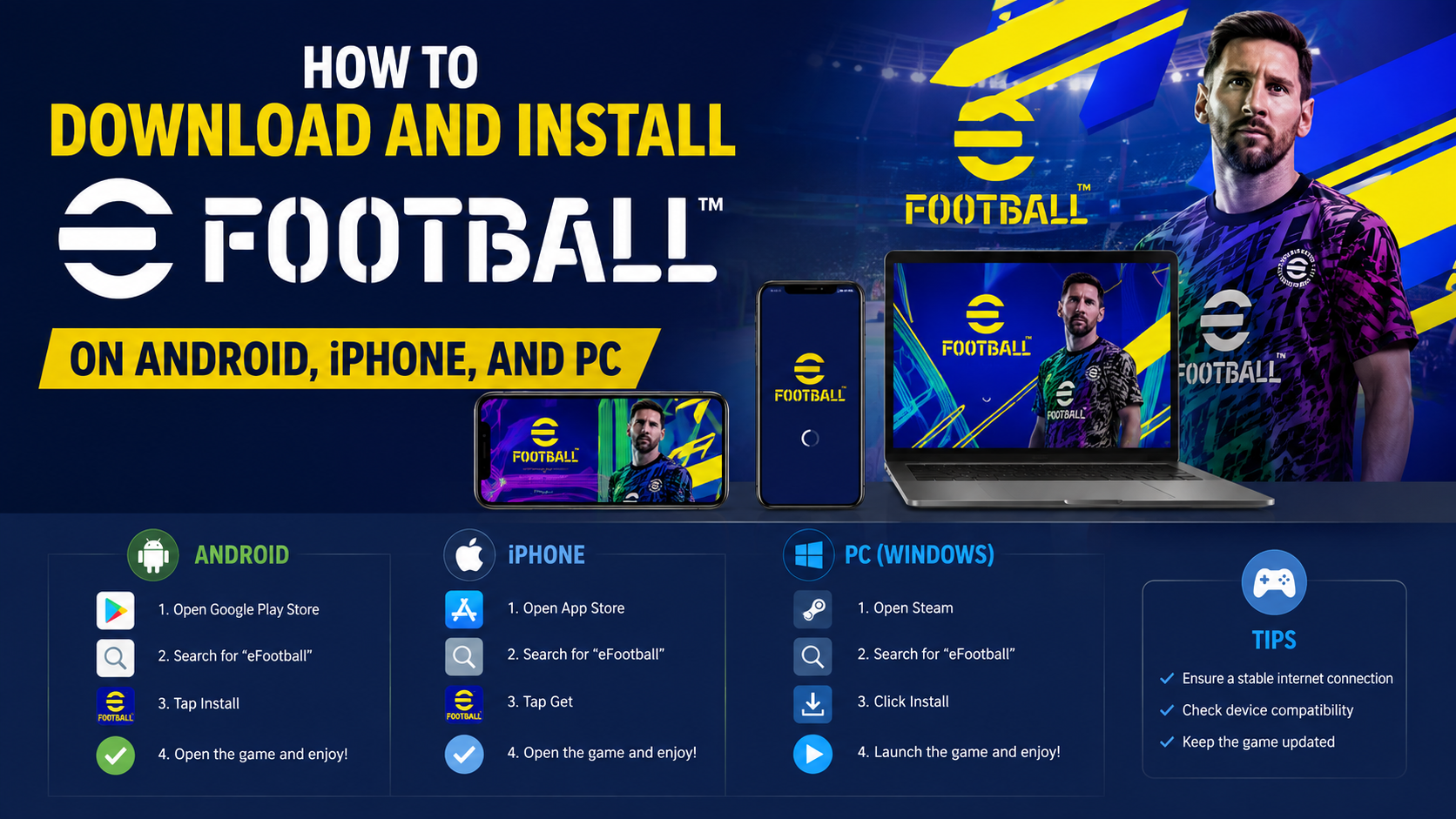
- Open the Google Play Store app.
- Search for the game by its exact name.
- Open the listing and check the developer or publisher name.
- Read the game description, age rating, screenshots and recent reviews.
- Check whether the listing says it contains ads or in-app purchases.
- Tap Install.
- Open the game only after installation finishes.
Google Play Protect checks Play Store apps before download and scans devices for potentially harmful apps. Keep it enabled: open Play Store, tap your profile icon, select Play Protect, then open Settings and ensure Scan apps with Play Protect is on. Google also recommends keeping “Improve harmful app detection” enabled if apps from outside Play Store have ever been installed.
Should You Download Free Game APK Files?
Usually, no. An APK is the Android installation package. Sideloading means installing it from a browser, file manager, messaging app or another source instead of Google Play.
A legitimate developer may occasionally distribute an APK from its own official website, but that should be the exception. Do not install an APK just because a website says:
- “Premium game unlocked”
- “Unlimited coins, diamonds or UC”
- “No ads mod”
- “Latest APK without verification”
- “Paid game free download”
- “Bypass Play Store restriction”
These offers are commonly used to push altered apps, aggressive advertising software, credential theft or fraudulent payment prompts. Play Protect may warn or block suspicious apps; do not bypass a warning simply to continue an installation.
How to Download Free Games on iPhone or iPad
Apple devices do not normally use APK files. Download games from the App Store.
- Open the App Store.
- Search for the game name.
- Confirm the developer’s name and read the app privacy and age-rating information.
- Tap Get.
- Authenticate with Face ID, Touch ID or your Apple Account password if prompted.
- Wait for the download to finish, then tap Open.
Do not install configuration profiles or apps from random websites claiming they can provide paid iPhone games for free. A game that requires a profile, “certificate,” device-management permission or unfamiliar VPN before installation deserves extra scrutiny. Close the page and find the game through the App Store or its publisher.
How to Download Free Games on Windows PC
For Windows, install games through a recognised store or launcher rather than downloading an .exe file from a file-sharing site.
Steam
- Download Steam only from store.steampowered.com.
- Create or sign in to your Steam account.
- Browse the Free-to-Play category or search for a game.
- On the game page, select Play Game or the relevant install option.
- Choose an installation drive with enough free space.
- Start the game from your Steam Library.
Epic Games Store
- Visit the official Epic Games Store.
- Sign in or create an Epic account.
- Browse the Free Games section.
- Select a free-to-play title or claim an eligible giveaway.
- Install through the Epic Games Launcher.
Microsoft Store
- Open Microsoft Store from the Start menu.
- Search for the game.
- Select the official listing.
- Choose Get or Install.
- Launch it from the Store or Start menu.
Microsoft recommends the Microsoft Store for trusted apps and games, and Windows security tools can help scan downloaded programs. However, no store or security tool can make every decision for you: verify that the title and publisher match the game you intended to install.
Check These Details Before Clicking Install
A quick check can prevent most unsafe downloads.
Confirm the publisher
Search for the game’s official website separately, then follow its store link. Do not trust a site merely because its domain contains the game’s name. Fake sites often use small spelling changes, extra hyphens or unfamiliar endings.
Check the file type
For Windows, a game installer may be an .exe or .msi file from a trusted store or publisher. Avoid password-protected ZIP or RAR archives, especially if they include instructions to disable antivirus software. Password protection can prevent normal security scanning.
For Android, avoid APKs shared through Telegram channels, WhatsApp groups, shortened links or anonymous cloud-storage folders.
Review permissions
A game may reasonably need storage access, notifications or network access. Be cautious if a simple offline game asks for permissions unrelated to gameplay, such as accessibility services, SMS, contact access, device administrator access or the ability to read notifications.
Check storage and internet needs
Free games can be large and may download additional data after installation. Use Wi-Fi when possible, particularly on limited mobile-data plans. Make sure your device has spare storage for the game, updates and temporary installation files.
Red Flags That Suggest a Malware or Scam Download
Stop the download if you see any of these signs:
- A page claims a newly released paid game is free with no official promotion.
- The site opens repeated pop-ups, redirects or fake “Download” buttons.
- The installer asks you to disable Windows Security, Play Protect or antivirus software.
- A page asks for your UPI PIN, card PIN, OTP or bank login to unlock a “free” game.
- The download requires a survey, app installation, browser extension or social-media login first.
- The file name does not match the game name.
- The game page has no publisher information, privacy policy or support details.
- The download is delivered as a password-protected archive with a text file of “special instructions.”
Free games should not require banking credentials. In India, never share an OTP or UPI PIN to receive a game, game code or reward. A genuine store may ask you to sign in to your account, but it will not ask for secret banking credentials through a chat message or pop-up.
What to Do If You Already Installed a Suspicious Game
Act quickly, especially if you entered passwords or payment details.
- Disconnect the device from the internet if you suspect active malicious behaviour.
- Uninstall the unfamiliar game and any apps installed at the same time.
- On Android, run a Play Protect scan and install pending Android and security updates.
- On Windows, run a full scan using Windows Security and update Windows.
- Change passwords for accounts used on the affected device, starting with email, gaming and payment accounts.
- Review bank, UPI and wallet transactions. Contact your bank immediately if you see an unauthorised transaction.
- Do not reinstall the file to “test” whether it works.
If a game was installed from a third-party source, remove it even if it appears to run normally. Malware does not always show obvious symptoms.
Troubleshooting Safe Free Game Downloads
The game says it is unavailable in India
Availability can vary by country, age rating, publisher licensing and platform rules. Do not download a random APK or cracked installer to bypass the restriction. Check the game publisher’s official site or official social channels for India availability and supported platforms.
The download will not start
Check your internet connection, available storage and account sign-in status. Restart the store or launcher, then try again. On Android, also check whether Play Store downloads are waiting in the queue.
The game will not install
Confirm that your device meets the game’s stated operating-system and hardware requirements. Update Android, iOS, Windows or the game launcher where available. Do not download an older unofficial installer as a workaround.
The game asks for money after installation
The download may be free while optional content is paid. Check whether the charge is for cosmetic items, a subscription, an expansion or an ad-removal option. If the game was advertised as completely free but immediately demands payment outside the official store, uninstall it and report the listing.
Frequently Asked Questions
Can I download paid PC games for free legally?
Only when the publisher or an official store offers a legitimate giveaway, free weekend, demo or free-to-play version. Downloading cracked copies of paid games is not a safe or legitimate alternative.
Are free games on Google Play safe?
Google Play is safer than downloading APKs from unknown sites because Google Play Protect checks apps and can warn about potentially harmful behaviour. Still review the developer, permissions and in-app purchase disclosures before installing.
Is Steam safe for downloading free games?
Steam is an established PC game platform. Download Steam from its official website, then install games through your Steam Library rather than through external download links.
Why does a free game ask for payment details?
Some games offer optional purchases, subscriptions or free trials that convert to paid plans. Read the store page and checkout screen carefully. A genuinely free game should not require your UPI PIN or OTP.
Can I play free games without internet?
Some single-player games work offline after installation, while multiplayer and cloud-based games require an active connection. Check the game listing or publisher’s support page before downloading.
Is itch.io safe for free games?
itch.io’s free downloadable-games section is useful for discovering indie titles, but it hosts work from many creators. Read each game page, use the creator’s official links where available, and avoid unexpected files or off-platform payment requests.
What is the safest way to get free games on a low-storage phone?
Use Google Play or the App Store, check the game’s size before installing, remove unused apps and download over Wi-Fi. Prefer lighter games with clear store listings instead of compressed APK bundles from unknown sites.
Can antivirus guarantee that a free game download is safe?
No. Security software is an important layer of protection, but it cannot guarantee that every file is harmless. The strongest first step is downloading only from official stores and verified publisher websites.